TABLE OF CONTENTS
Integration Scope
Sales Aggregation Per Section and Item Level.
Payment Integration Per Section.
Infrasys Report Validation
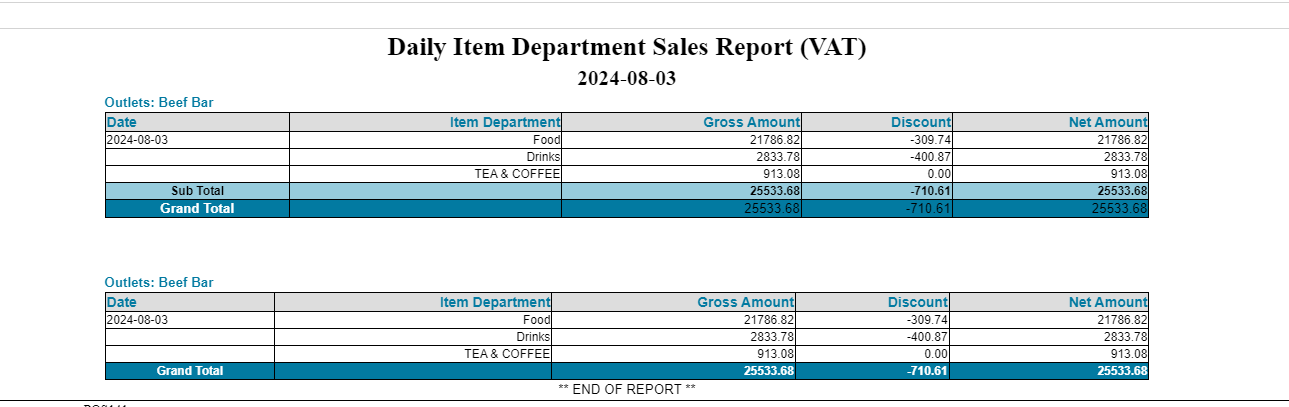
Use the following report Name from Infrasys to start the validation “ Daily Item Department Sales Report (VAT)”
NetSuite Report Validation
Use the following report Name from NetSuite to start the validation:” MFC Sales & Collection GL Impact”
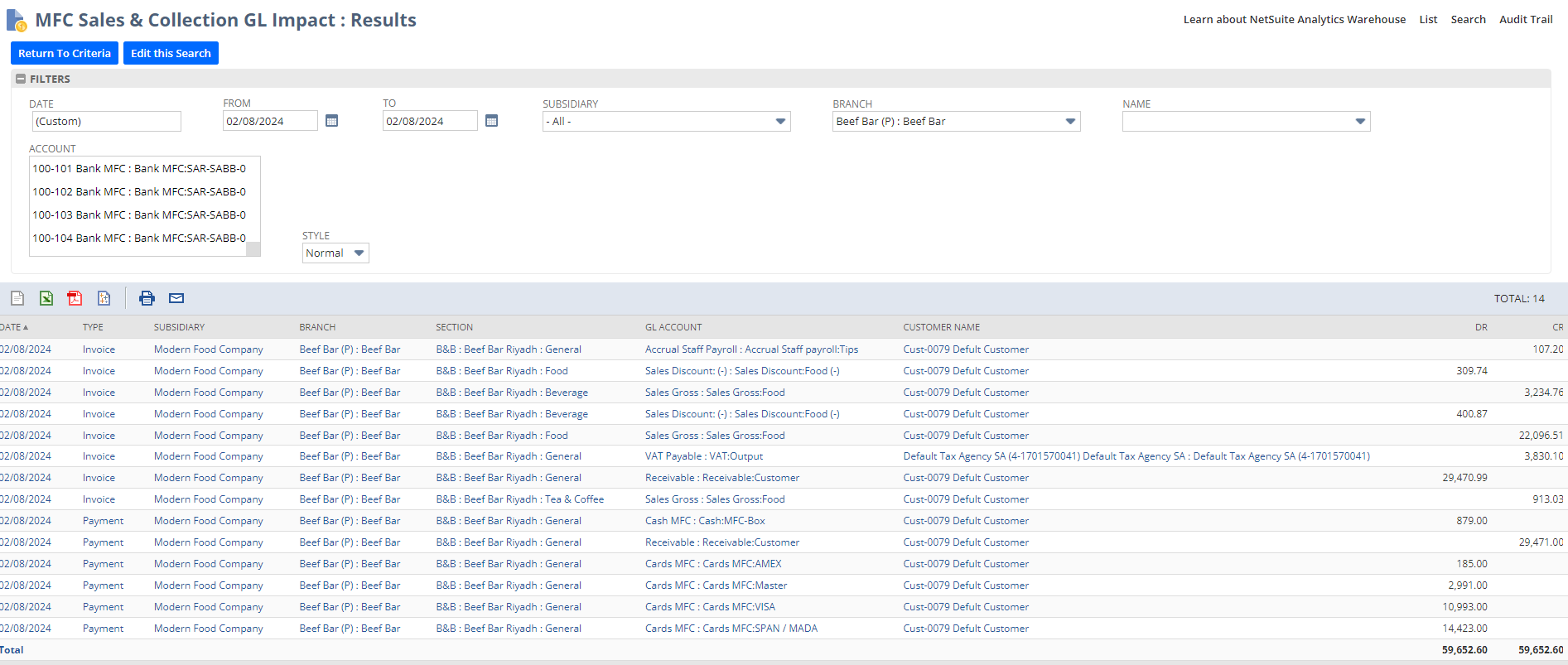
Make Sure to select the right Branch and Date to start the validation
Validation Sales Steps
Let’s Start validating the Food Sales :
“ Total Food - Disocunt Food”
 NetSuite Report
From Infrasys Food Sales with Discount:
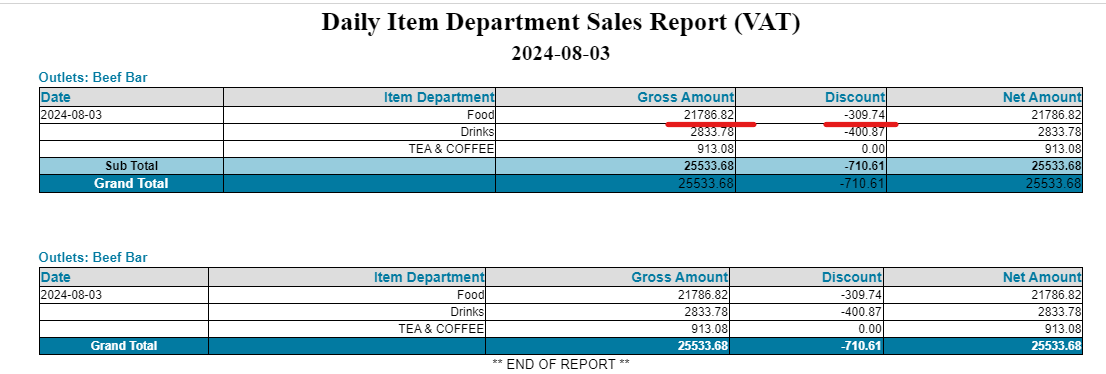
Infrasys Report
This will be the same for all other Department
Validation Payment Steps
Use the following report Name from NetSuite to start the validation:” Daily Sales Report”
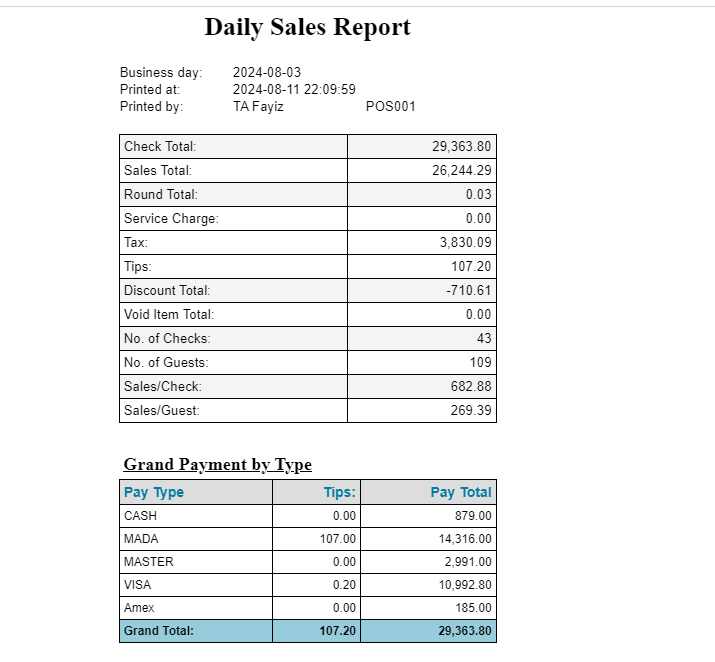
Let’s begin to validate Cash Payment:
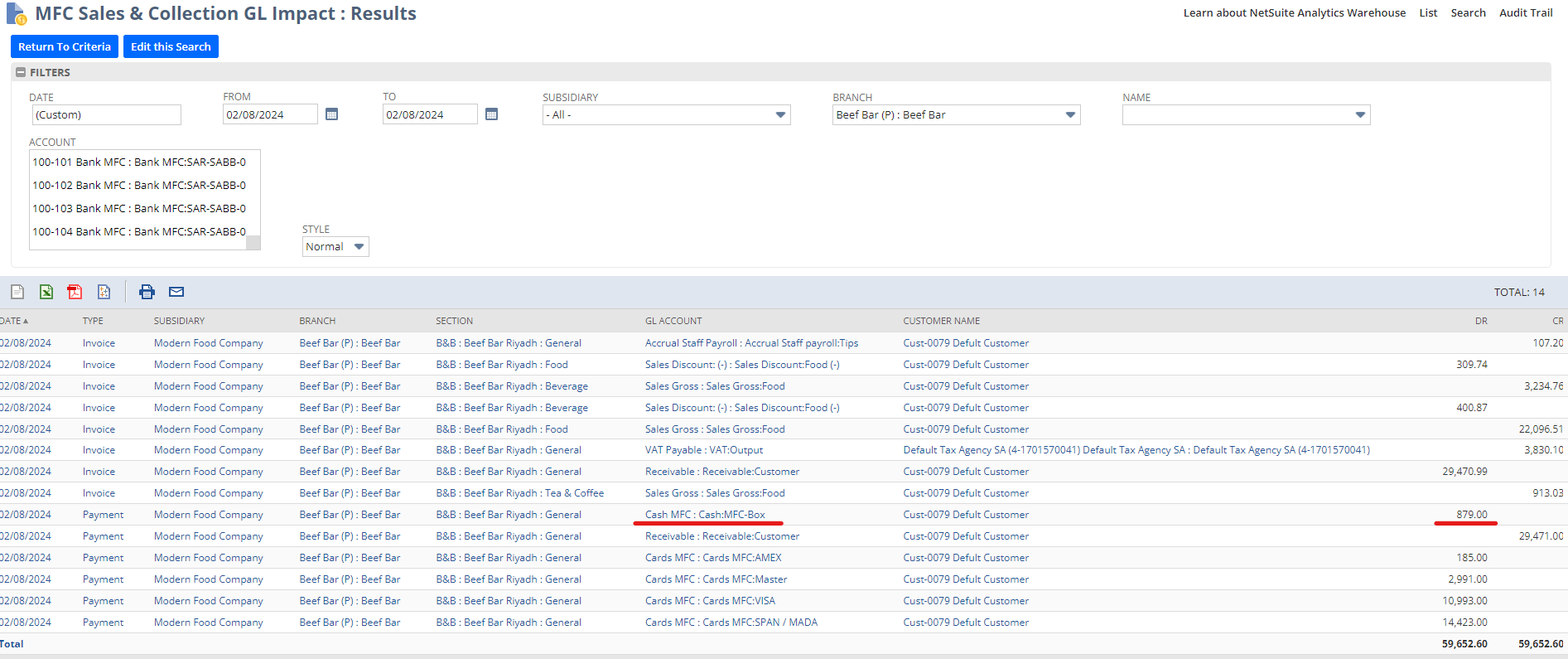
NetSuite Report
From Infrasys Cash Payment:
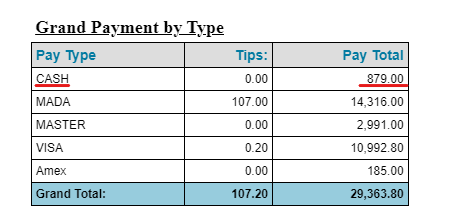
Infrasays Report
Note: If we have a tip: Tips+Paytotal
Service & Support
Email: support@reachware.com
Call: +966 9200 33605
***End of the User Guide***
Was this article helpful?
That’s Great!
Thank you for your feedback
Sorry! We couldn't be helpful
Thank you for your feedback
Feedback sent
We appreciate your effort and will try to fix the article