The Iterator is used to break down an array into individual items for separate processing.
It is particularly useful when the source system sends data in a list format, and each item within that list must be processed individually.
Used When system receives multiple items in a single payload (e.g., products in an order), and each item needs to be handled separately.
Example: A list of 5 products is split into 5 individual steps—each product is processed one by one.
How to Use It?
1
From Flow Template List
Select and Click on View Flow
2
From Flow Template
Click on this Icon
Click on this Icon
3
Select Iterator
A prompt window will appear, allowing you to define the Iterator criteria for your data.
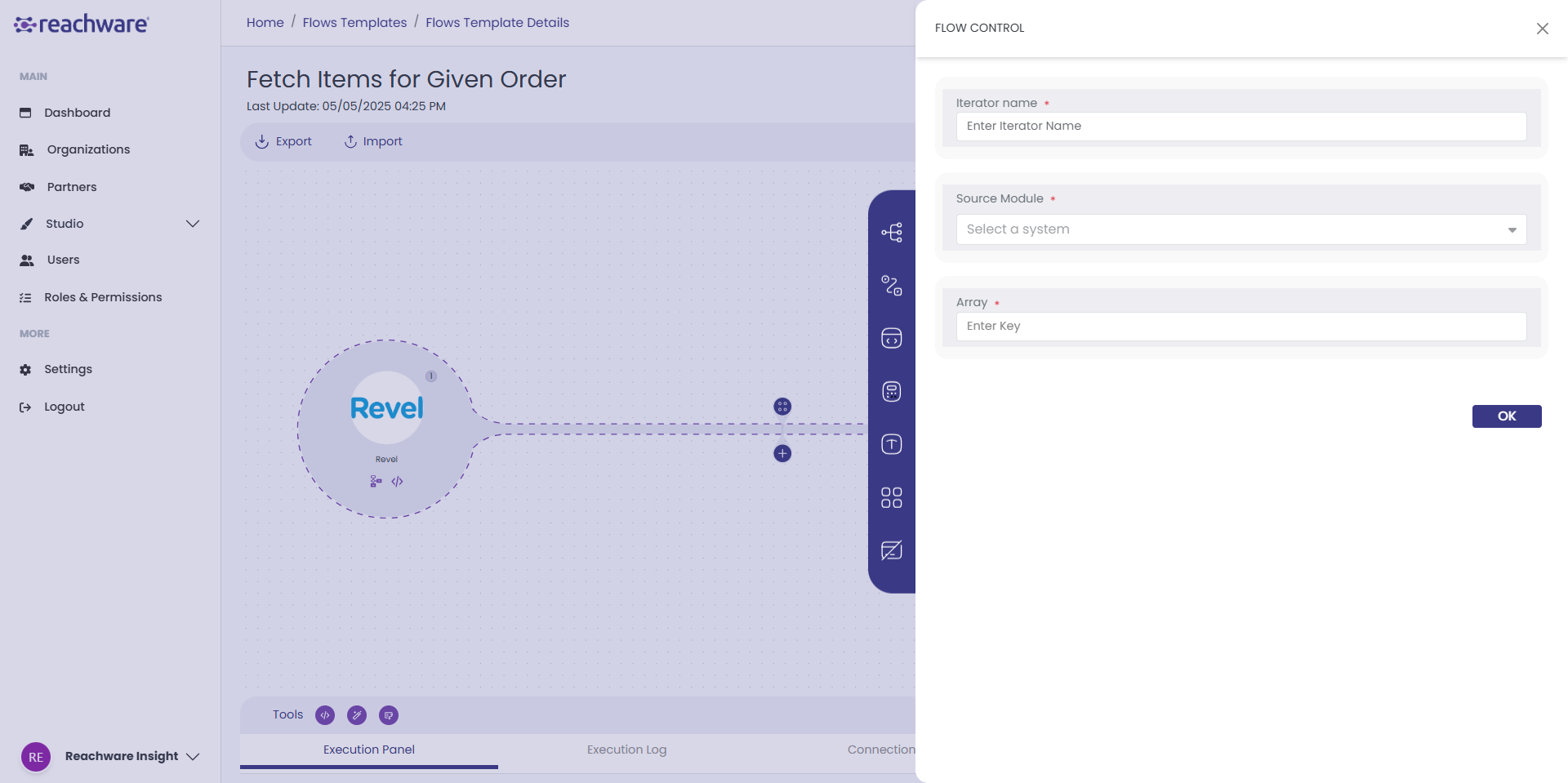
A prompt window will appear, allowing you to define the Iterator criteria for your data.
4
Fill the Iterator fields.
- Provide a clear, descriptive name for this Iterator to identify its purpose.
- Source Module: Select the module that represents the operation on which this Iterator is based.
- Array: Define the specific part of the data or the elements within the collection that should be iterated over.

- Provide a clear, descriptive name for this Iterator to identify its purpose.
- Source Module: Select the module that represents the operation on which this Iterator is based.
- Array: Define the specific part of the data or the elements within the collection that should be iterated over.
Professional Hint:
The Source Module is mandatory and must reference the data collection that the Iterator will loop through.
The Source Module is mandatory and must reference the data collection that the Iterator will loop through.
5
Click on 'OK' And Save your change
Click Save to apply your configuration.
Click Save to apply your configuration.
Related Topics
Was this article helpful?
That’s Great!
Thank you for your feedback
Sorry! We couldn't be helpful
Thank you for your feedback
Feedback sent
We appreciate your effort and will try to fix the article