A Flow represents a defined data transformation pipeline that moves and manipulates data from a source system to a destination system. In Reachware, agents can create and configure flows using a visual, user-friendly interface designed to manage multiple operations and advanced filtering mechanisms.
Creating a New Flow
As an agent, you can initiate a new flow by selecting “Add New Flow”. Each flow includes a series of configurable components that provide complete control over data movement and transformation.
Steps to Create a New Flow
1
Select The System
Choose the source or destination System the Previously Created, you want to connect to.
2
3
Choose The Operation
Select the specific Operation for which you want to build the flow.
Select the specific Operation for which you want to build the flow.
Professional Hint:
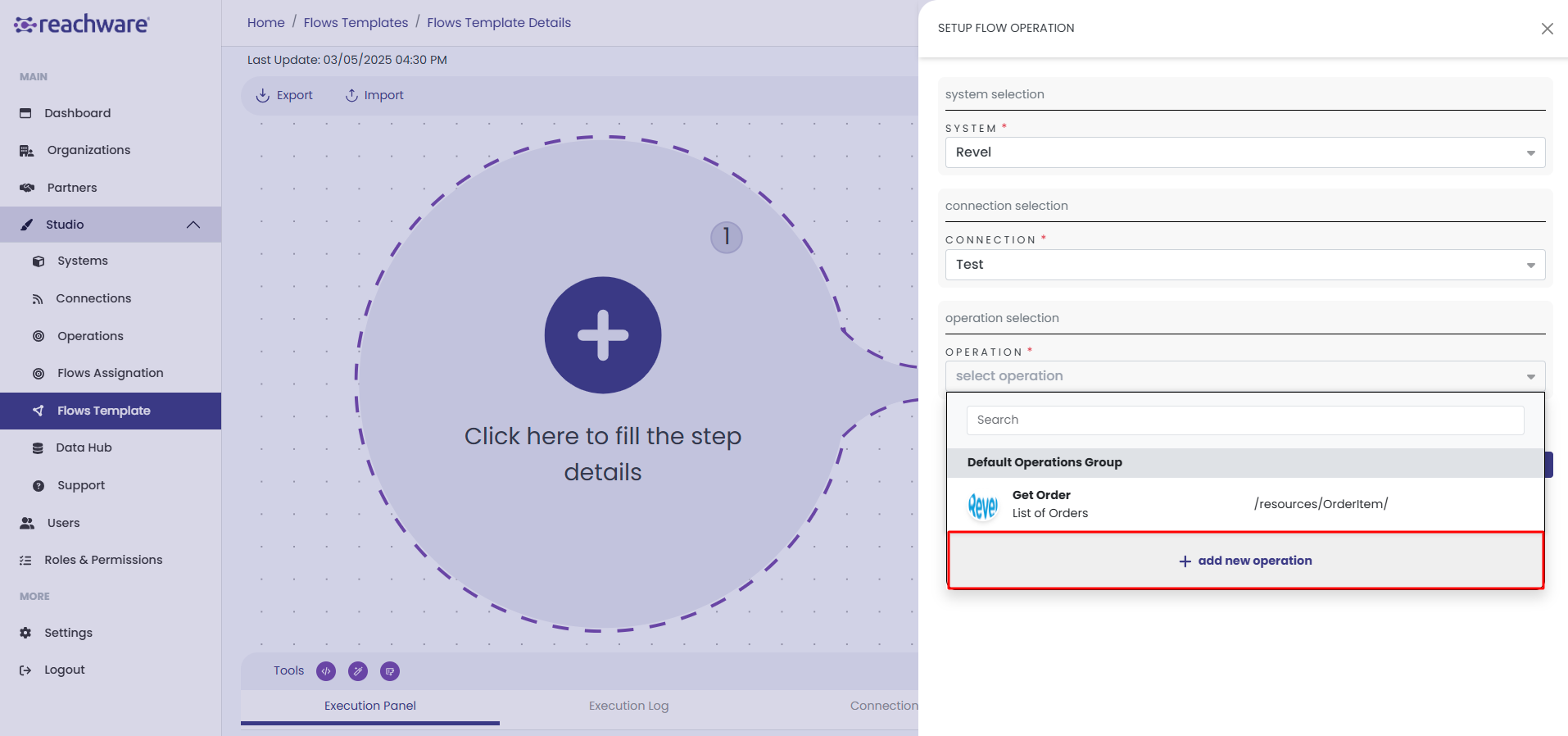
You can add a new operation directly from the Flow Template by clicking “+ Add New Operation”. This will open the Operations page, allowing you to define and save a new operation.
You can add a new operation directly from the Flow Template by clicking “+ Add New Operation”. This will open the Operations page, allowing you to define and save a new operation.
4
Saving The Flow
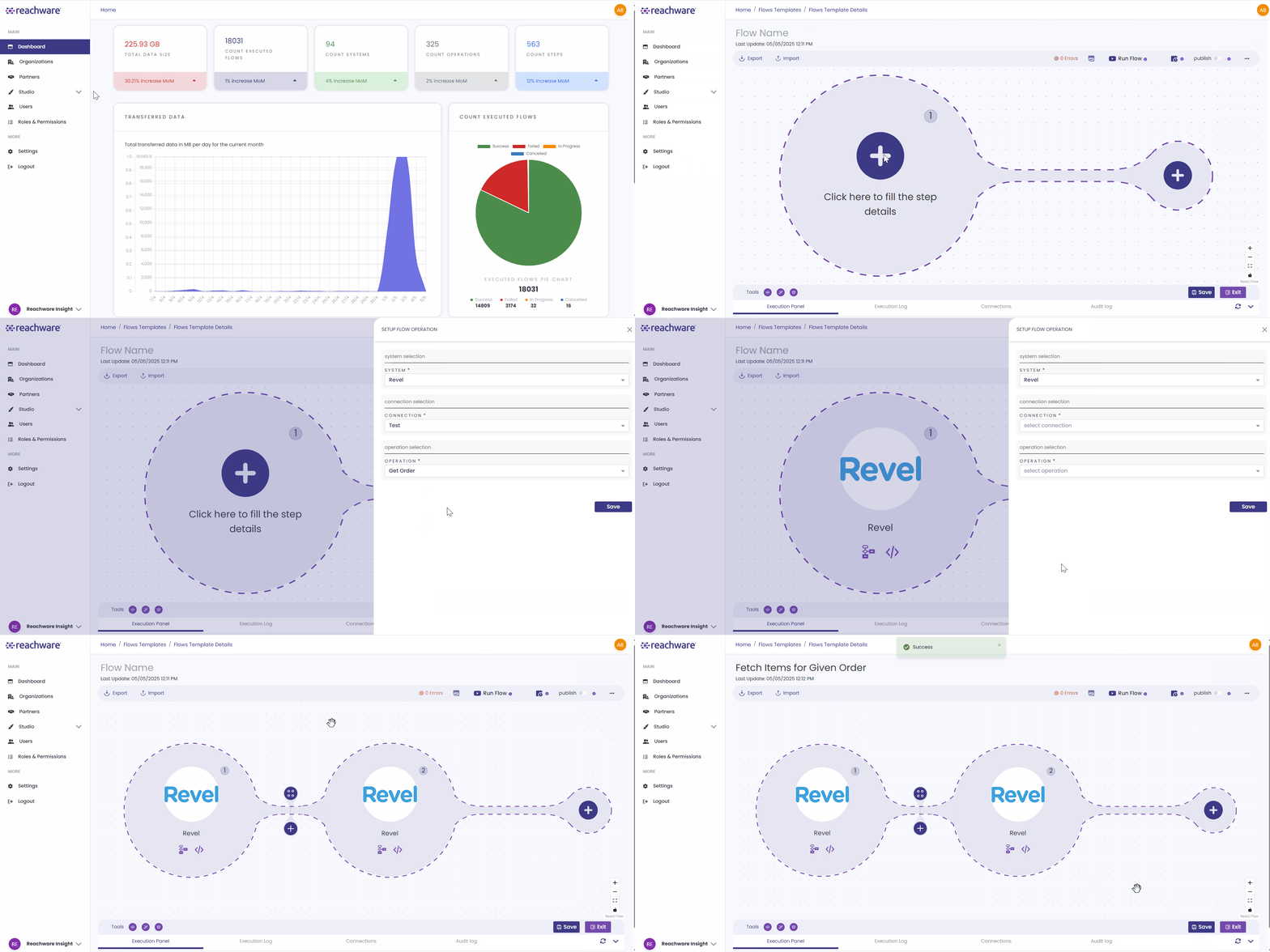
After choosing all the necessary information and clicking Save, the first system in the flow will be displayed.
After choosing all the necessary information and clicking Save, the first system in the flow will be displayed.
Professional Hint:
You Can't Save The Flow Unless You:
- Add at Least Two Steps In Flow.
- Provide a Name For The Flow.
You Can't Save The Flow Unless You:
- Add at Least Two Steps In Flow.
- Provide a Name For The Flow.
Related Topics
Was this article helpful?
That’s Great!
Thank you for your feedback
Sorry! We couldn't be helpful
Thank you for your feedback
Feedback sent
We appreciate your effort and will try to fix the article