Flow Execution in Reachware
In Reachware, flows can be executed in two main ways:
Manually by the user
Scheduled using the Flow Timetable feature:
Flow Timetable - Preset Options
Flow Timetable - Custom Expressions
Override Flow Timetable
Manual Flow Execution and Execution Log
You can also choose to run the flow manually at any time. After execution, you can view the results in the execution log, which provides detailed insights into the flow's performance and any issues that may have occurred during the run.
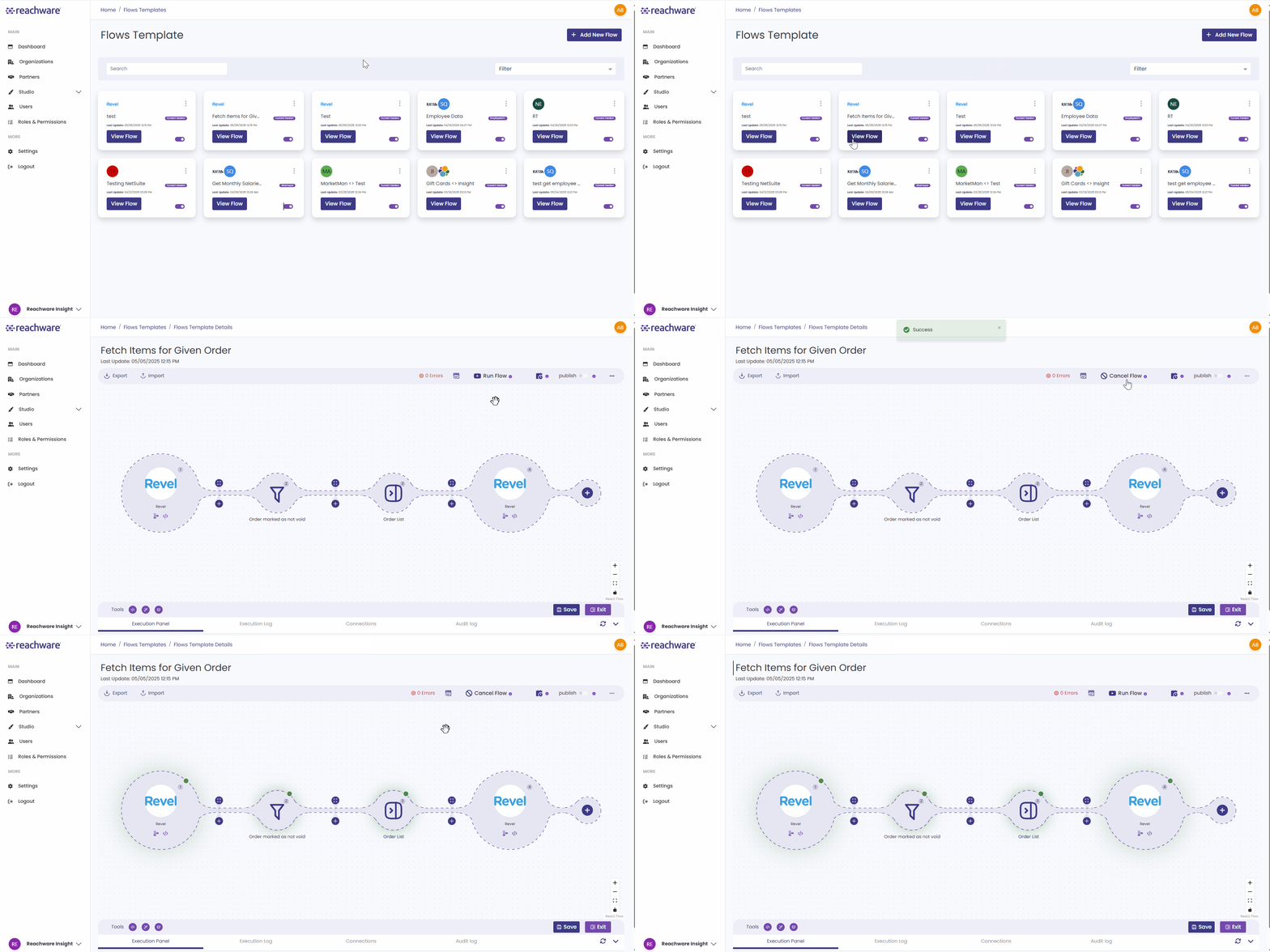
In the Execution Log, you can review the results of your flow execution.
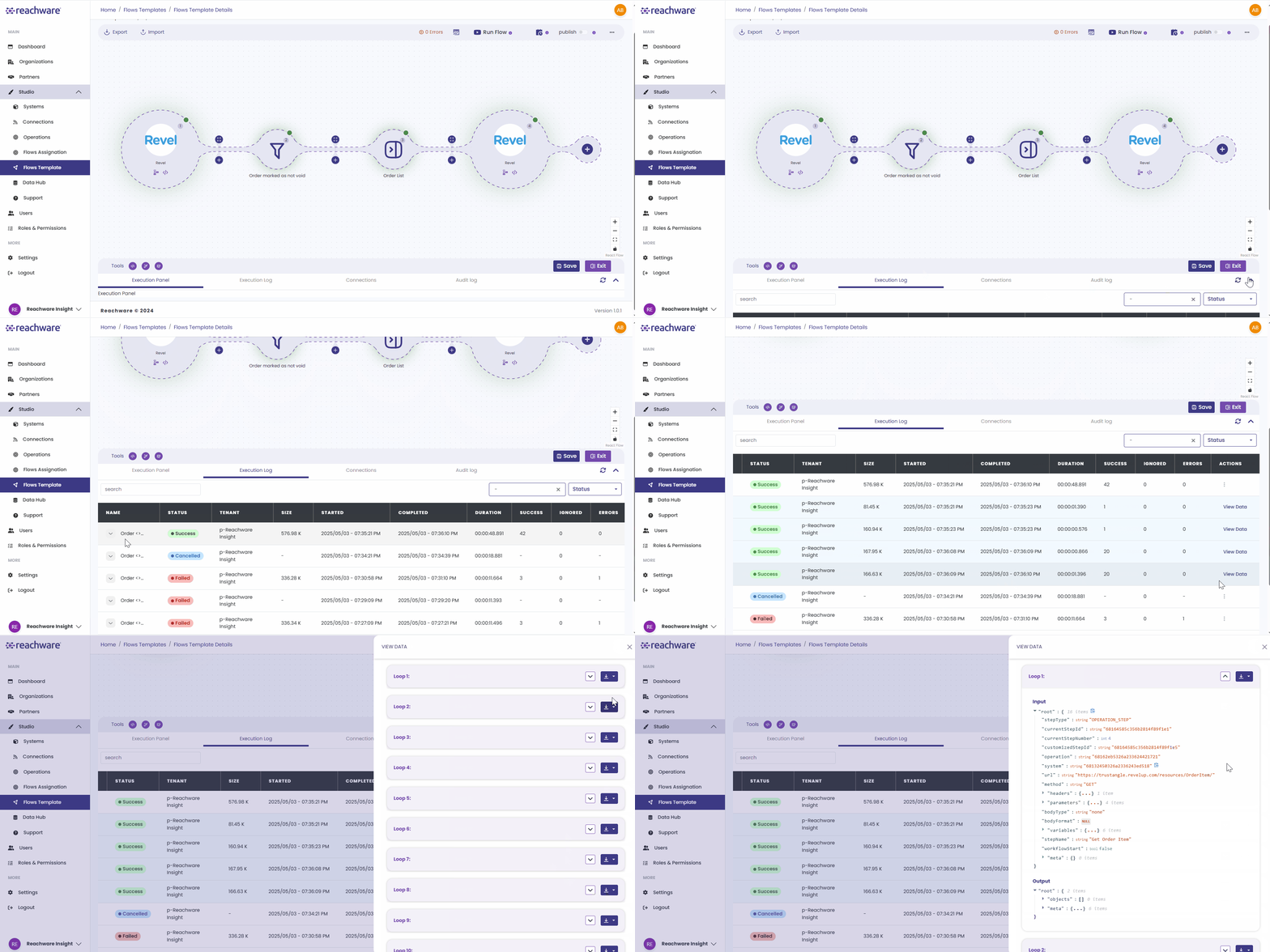
As you can see here, the log provides the status of the flow, allowing you to identify any issues or errors that occurred. You can then use this information to fix the problem.
How to Check the Error or Result of the Flow:
Related Topics
Was this article helpful?
That’s Great!
Thank you for your feedback
Sorry! We couldn't be helpful
Thank you for your feedback
Feedback sent
We appreciate your effort and will try to fix the article