
TABLE OF CONTENTS
Introduction
This user guide for calculating Action type From Revel POS System.
Note: The same approach apply to all Action Types, the only difference is the filtering process as follows:
COGS
Revel
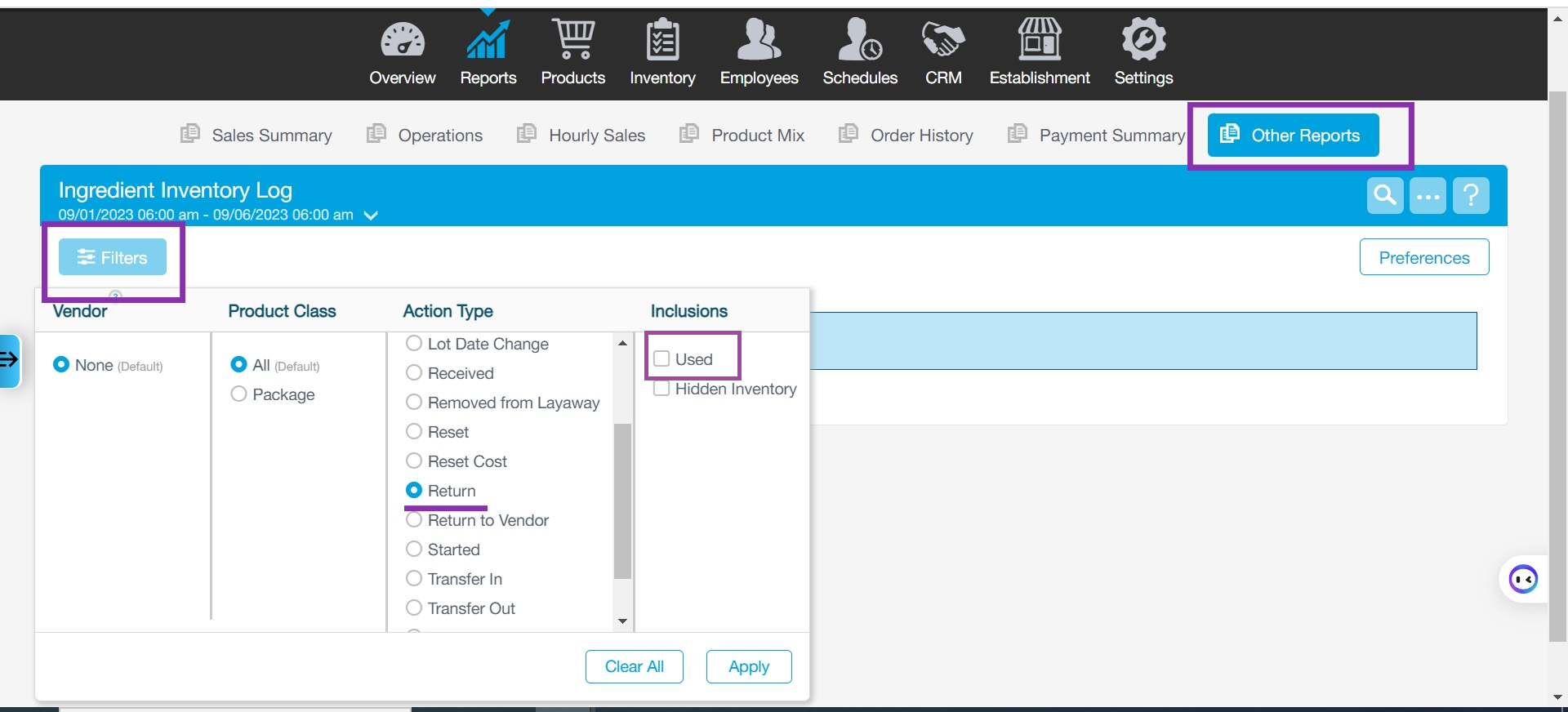
Report → Other Reports → Ingredient Inventory Log → Filters → Used
Inclusions → Used
Wastage
Revel
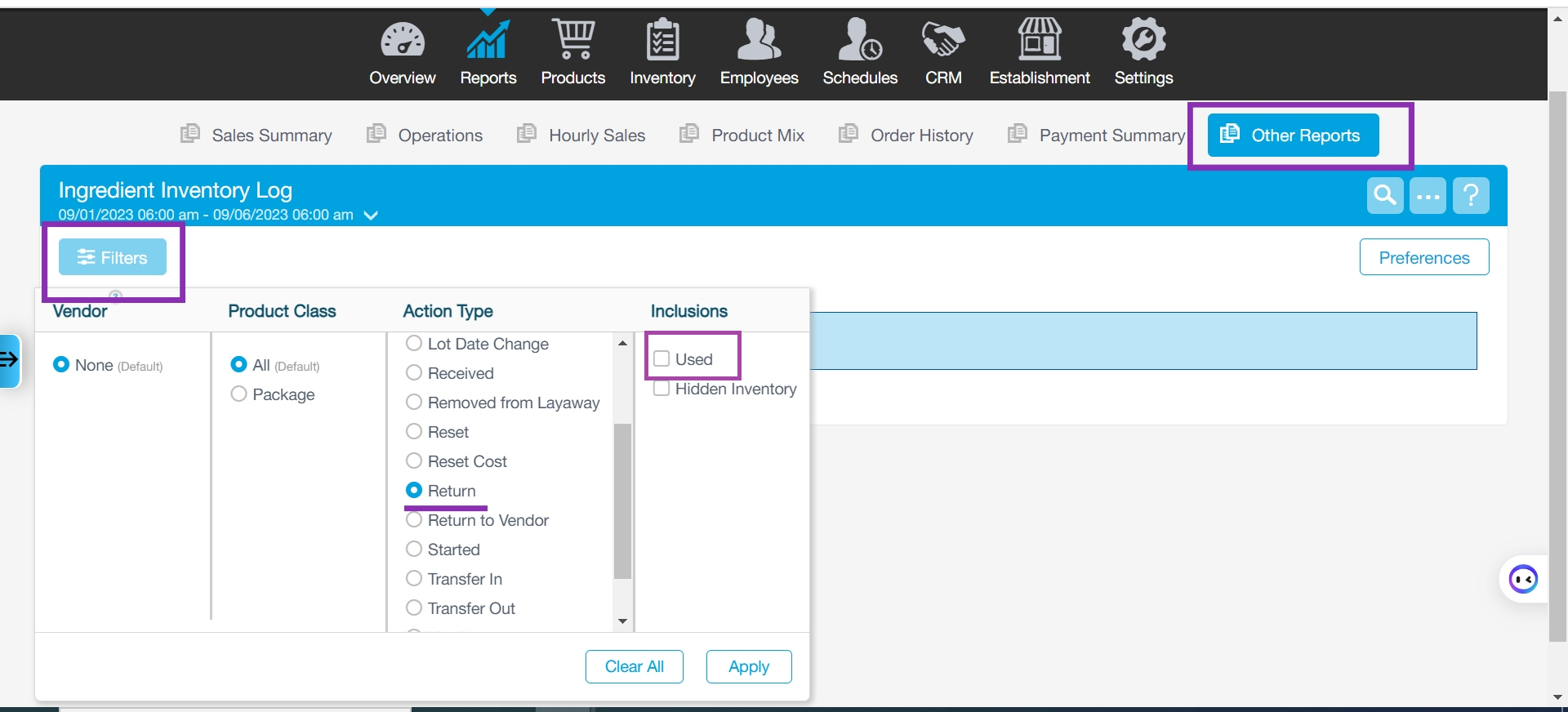
Report → Other Reports → Ingredient Inventory Log → Filters → Wastage
Inclusions → Used
Adjustment
Revel
Report → Other Reports → Ingredient Inventory Log → Filters → Adjustment
Inclusions → Used

Return
Revel
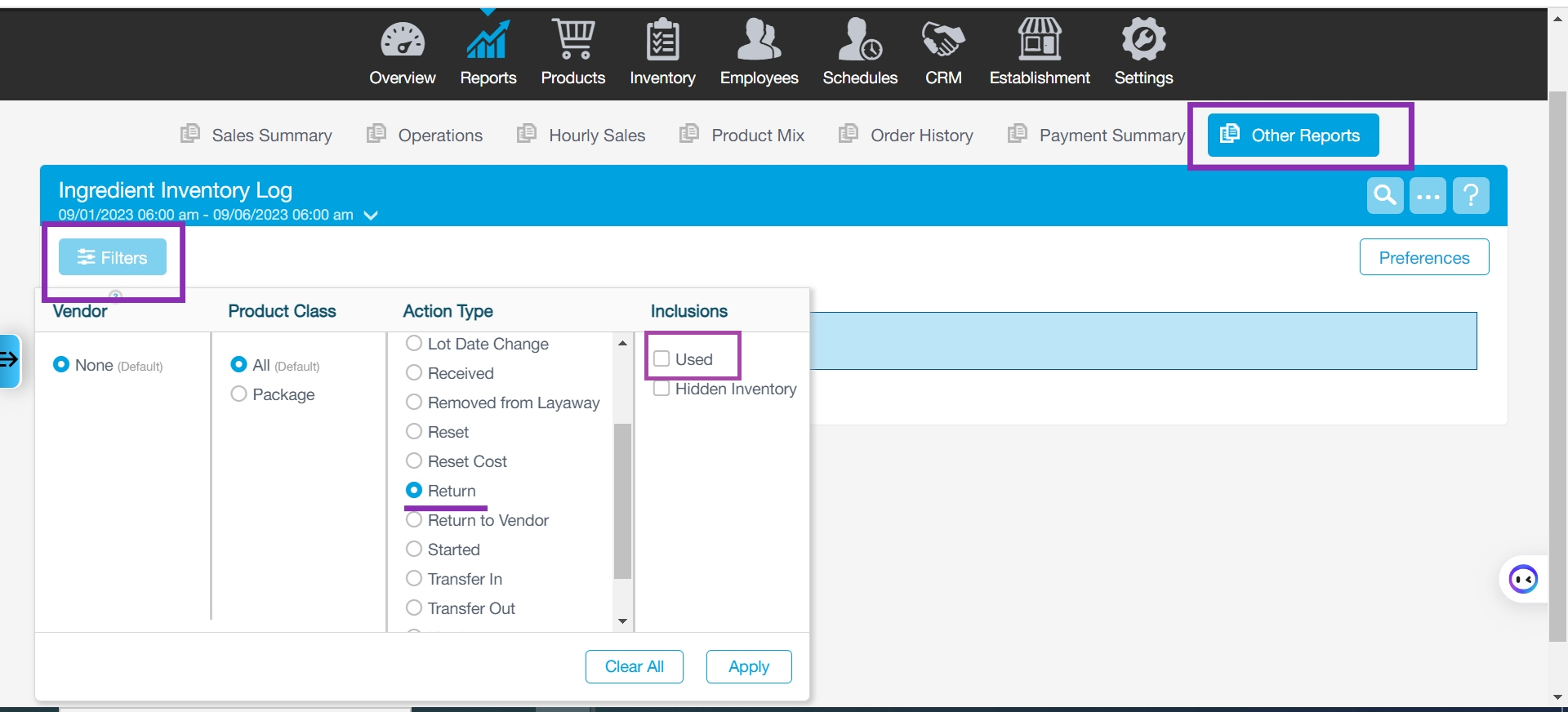
Report → Other Reports → Ingredient Inventory Log → Filters → Return
Inclusions → Used
Calculating process
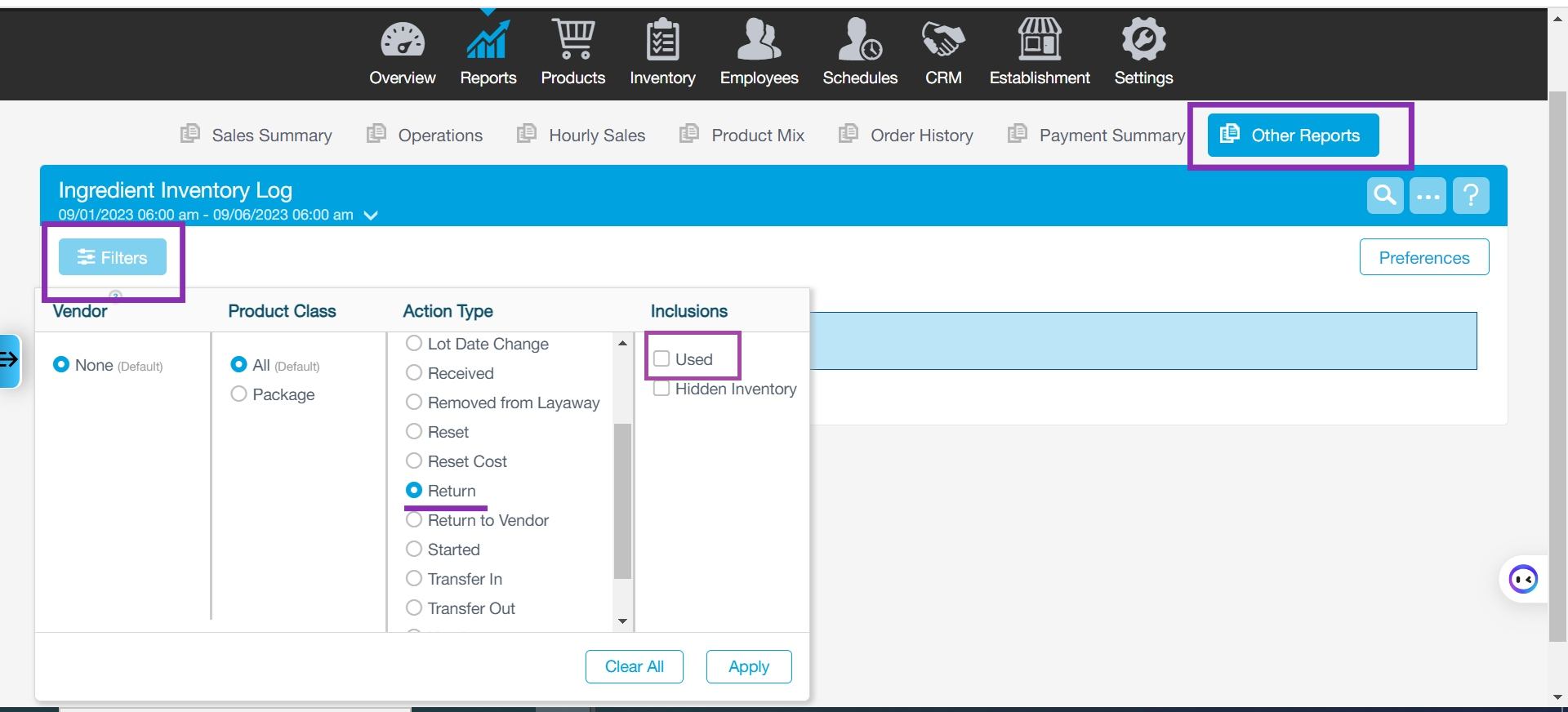
Determine the type of action
Report → Other Reports → Ingredient Inventory Log → Filters → Return
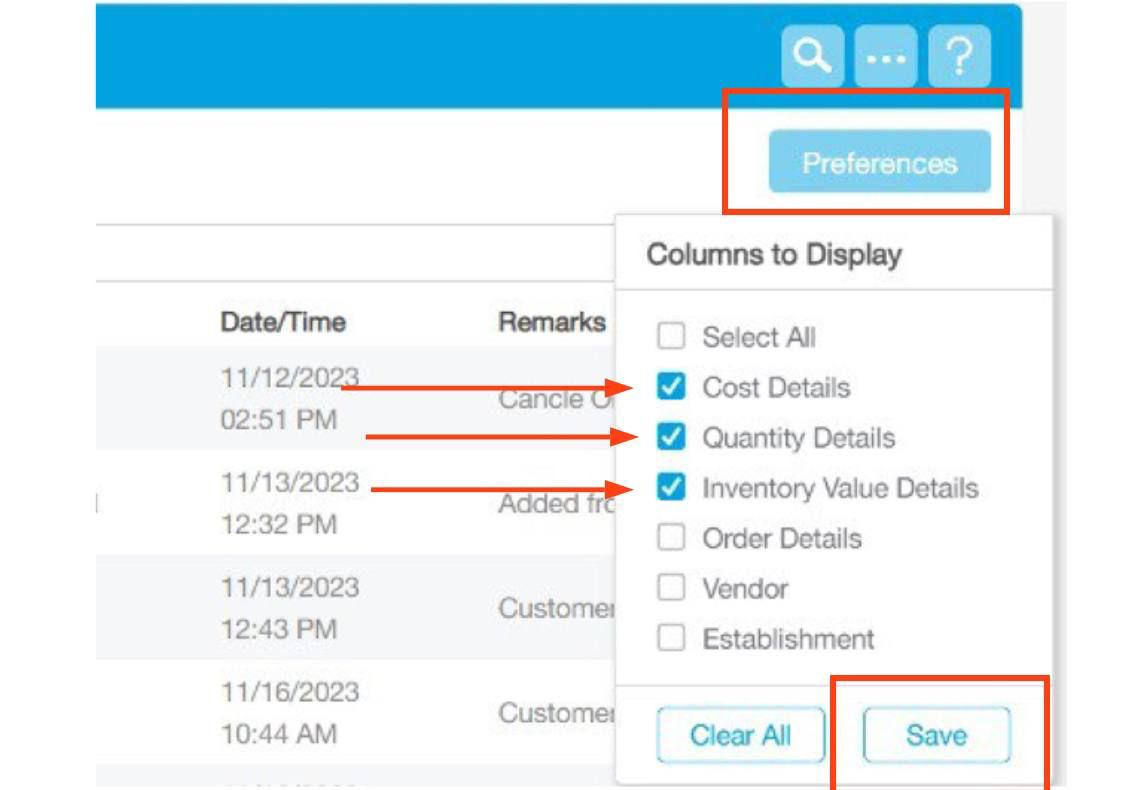
Preferences → check the following points → Save
Cost Details
Quantity Details
Inventory value Details
Export → Excel

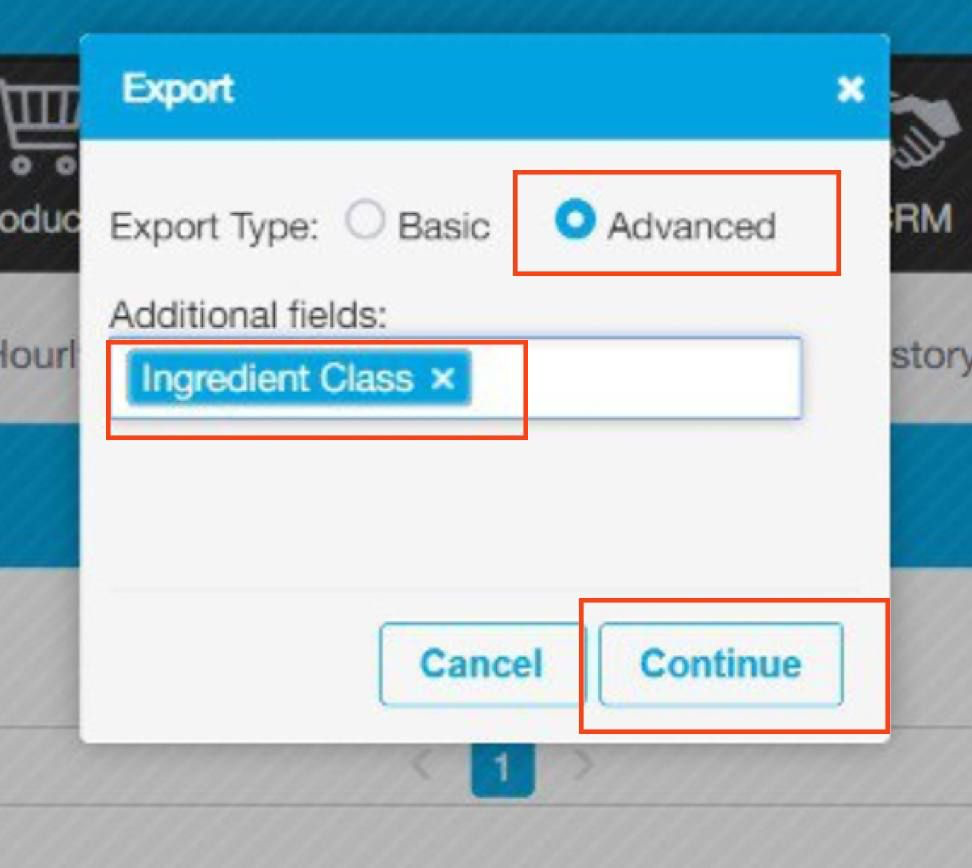
Customize Sheet :
Type → Advanced
Additional filed → ingredient Class
After downloading the Sheet, there are two ways to calculate Action type:
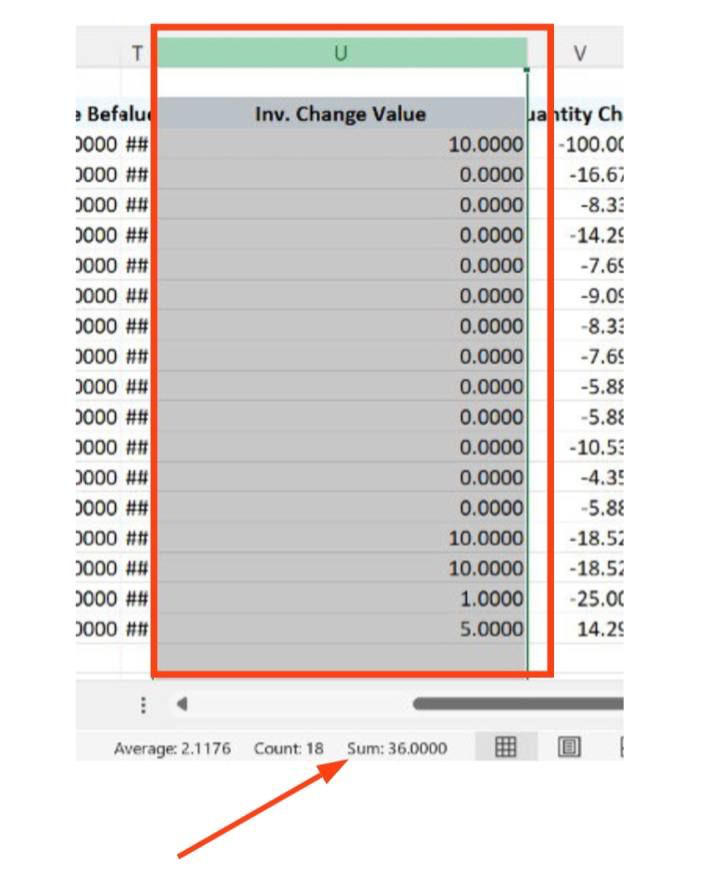
Directly from the In.Change value column
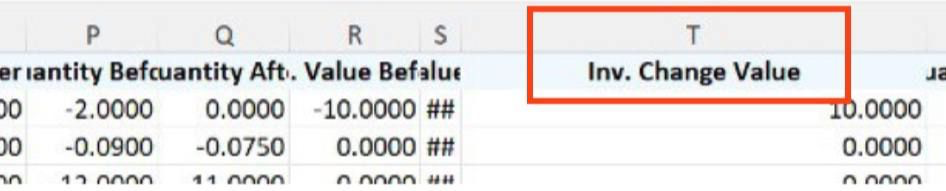
The sum of the In.Change value column values = The Action type value
b.Use the following equation:
Inventory quantity * Cost before
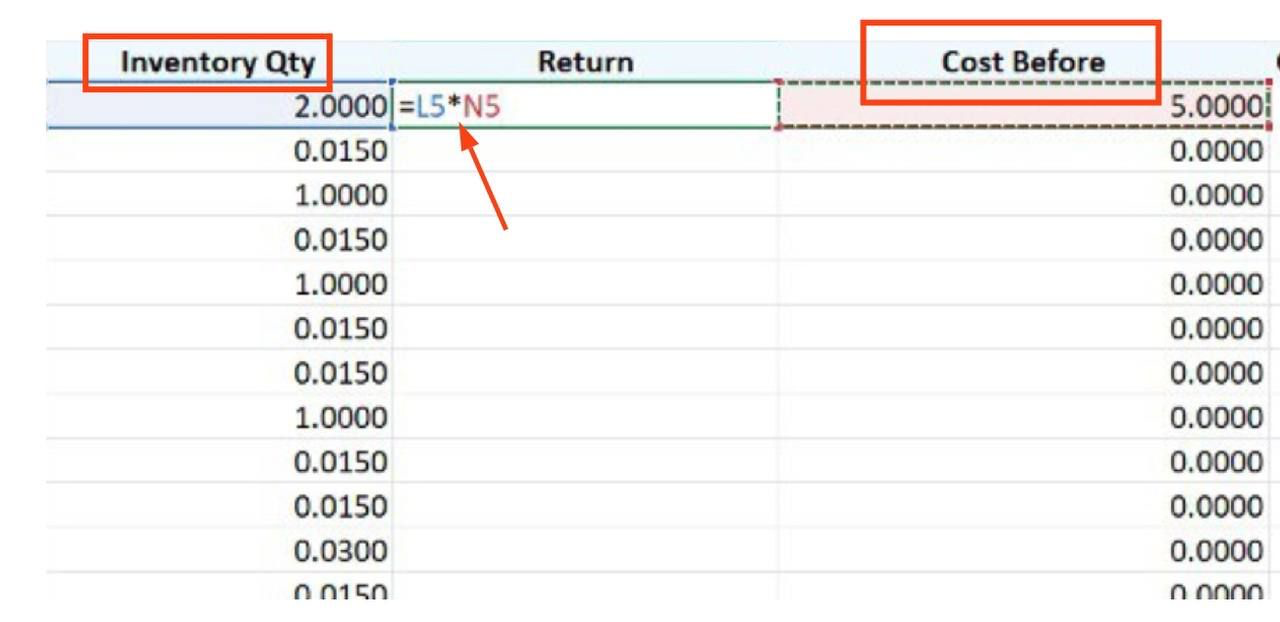
The sum of the New Column values = The Action type value

Was this article helpful?
That’s Great!
Thank you for your feedback
Sorry! We couldn't be helpful
Thank you for your feedback
Feedback sent
We appreciate your effort and will try to fix the article