This user guide for creating a Parent Class From Revel POS System.
Please follow the steps below:
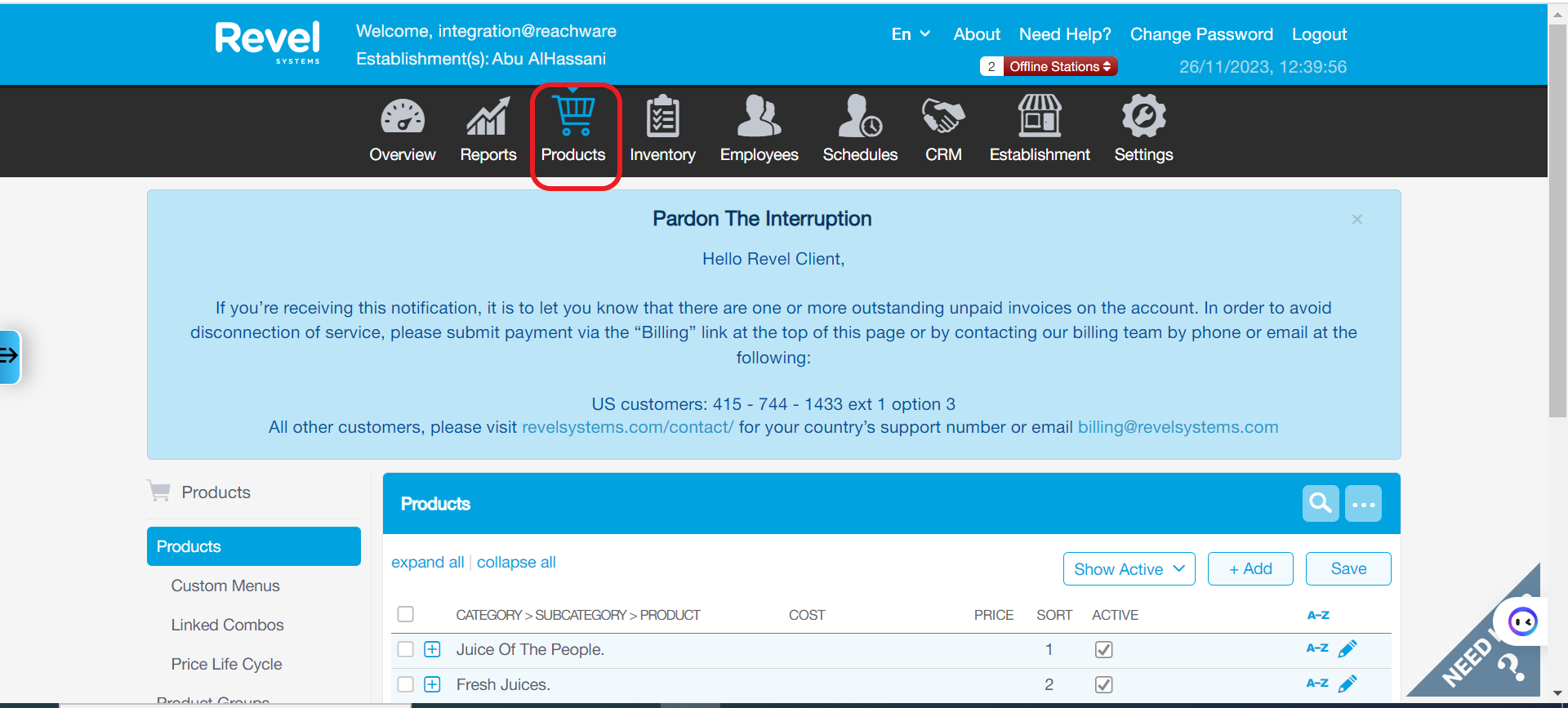
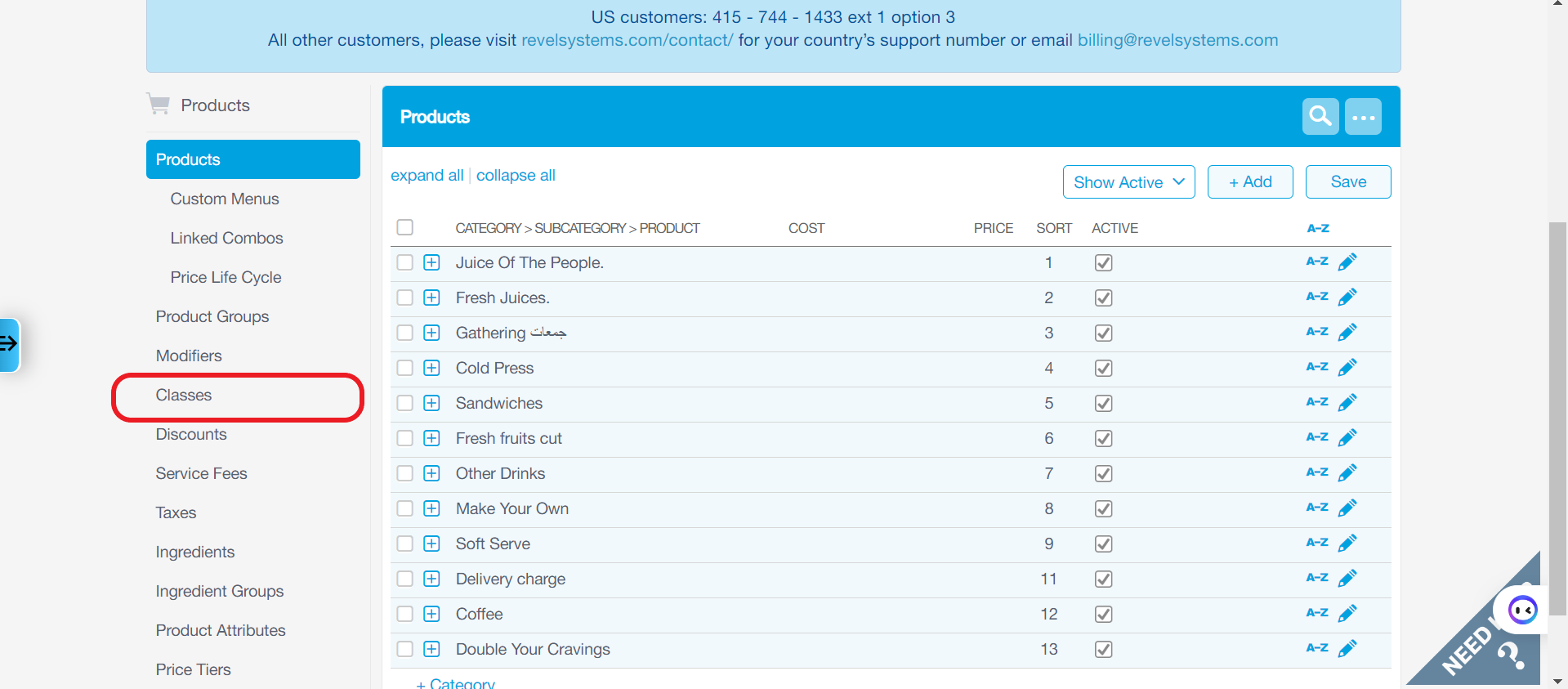
Products → Classes
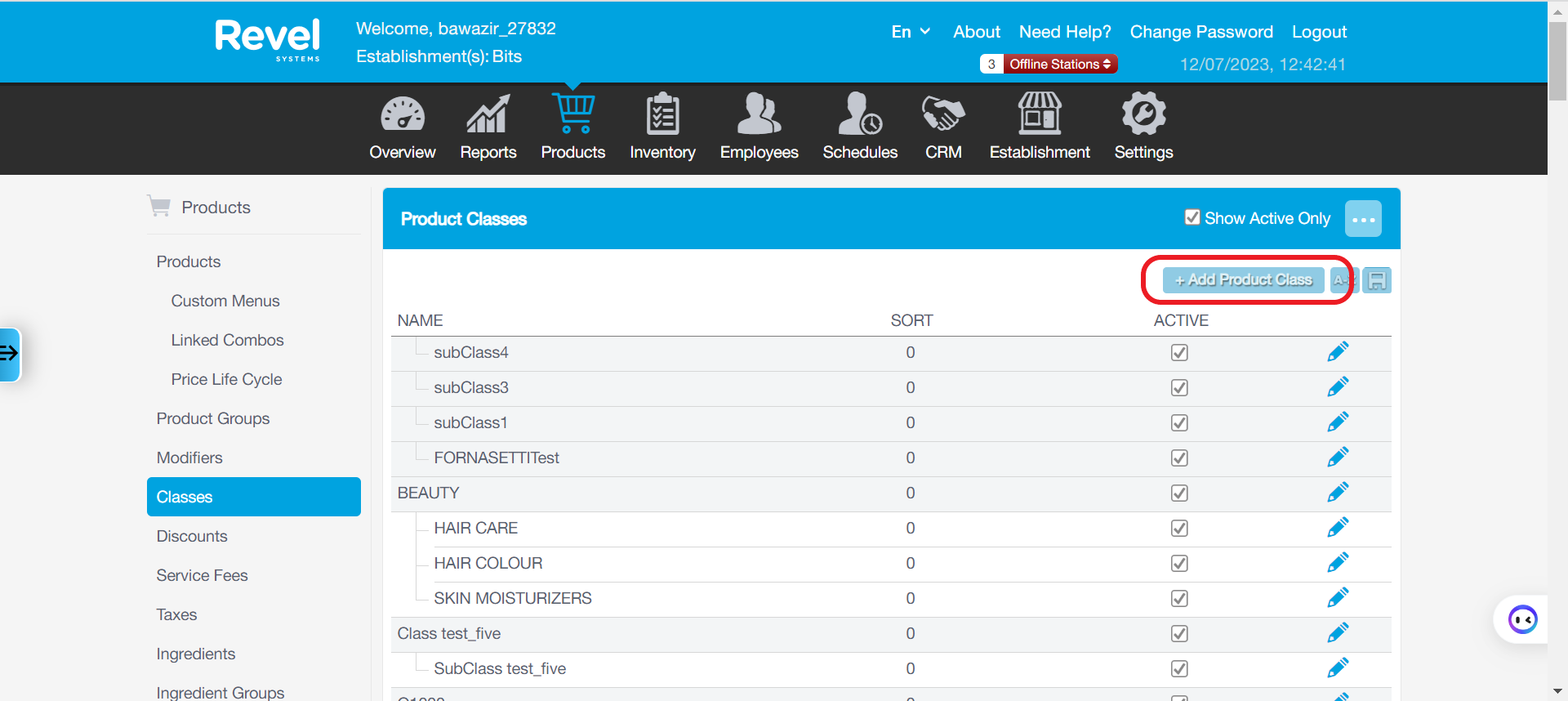
Create a new class, which will be the parent class, click on Add Product Class.
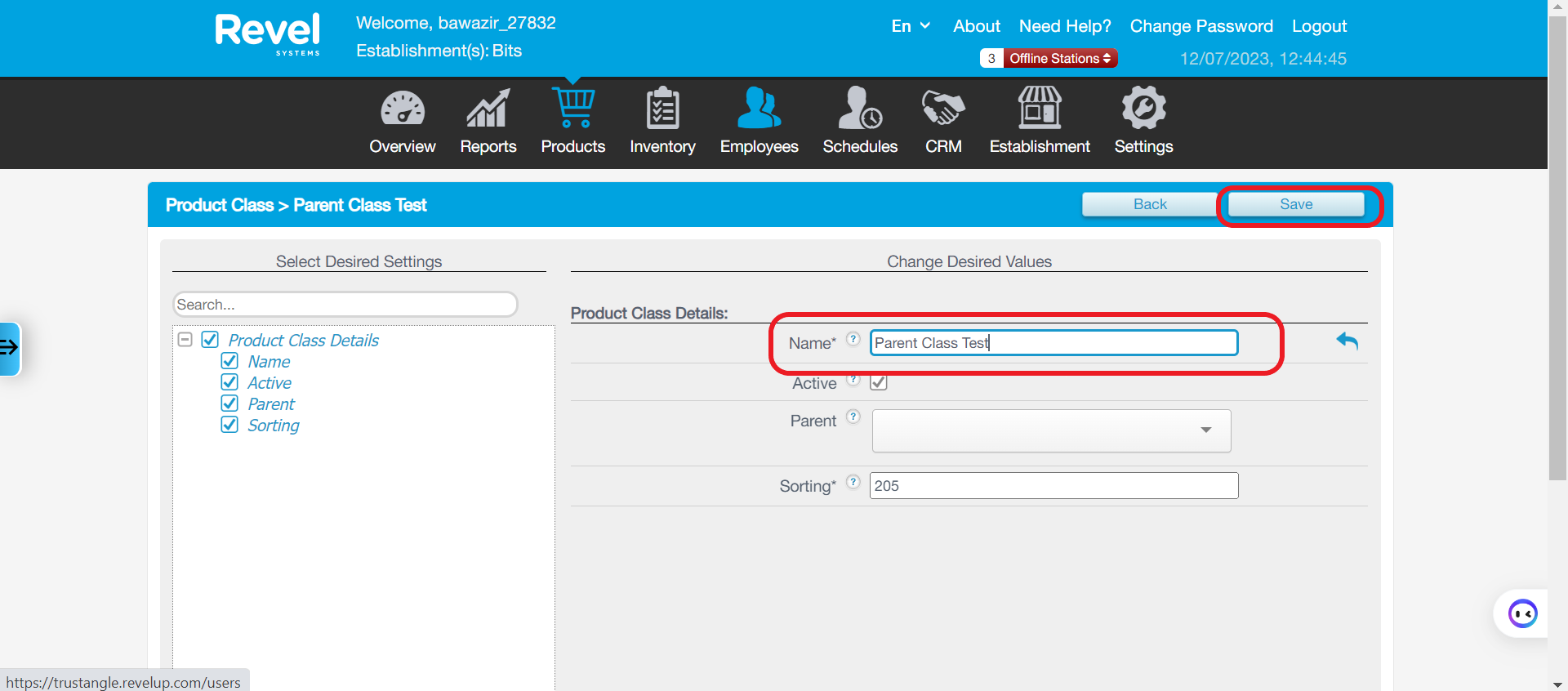
Please enter the name of the parent class and save, here we named it as Parent Class Test.
Now that we have created a class, let us set it as the parent class to a child class.
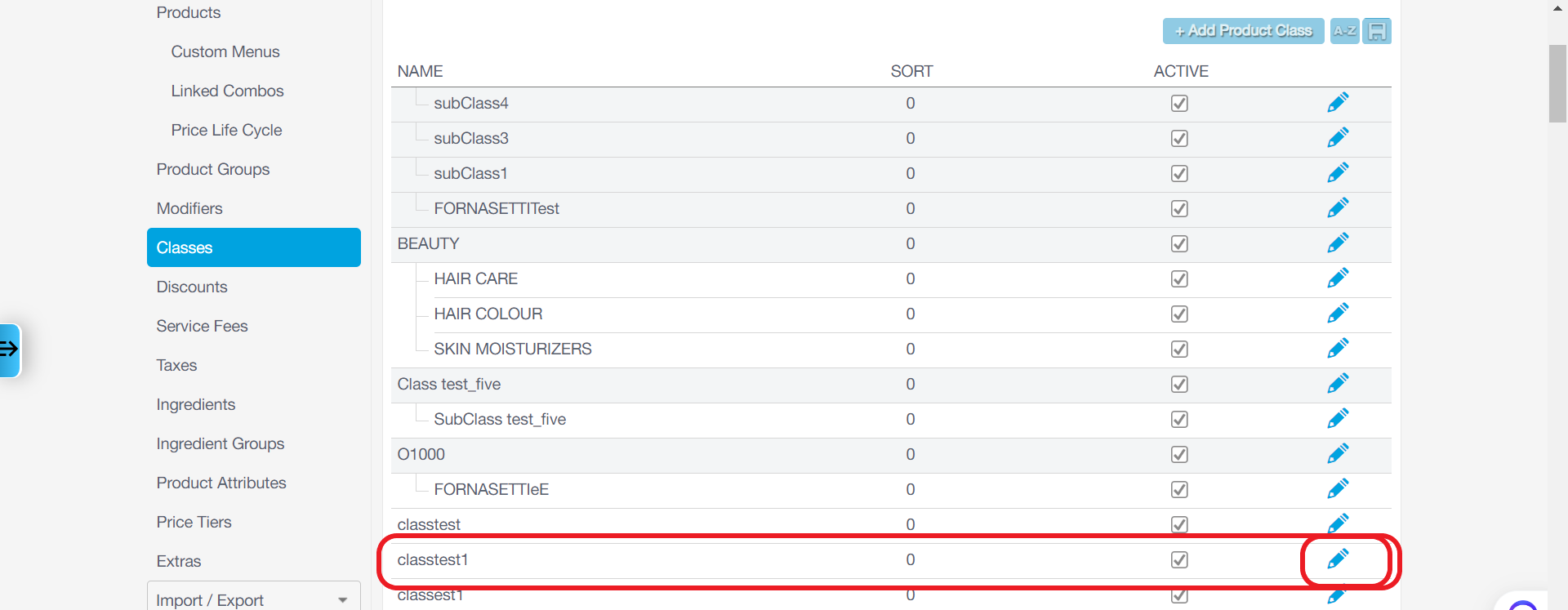
Choose a class you want to set a parent class to, and click on edit.
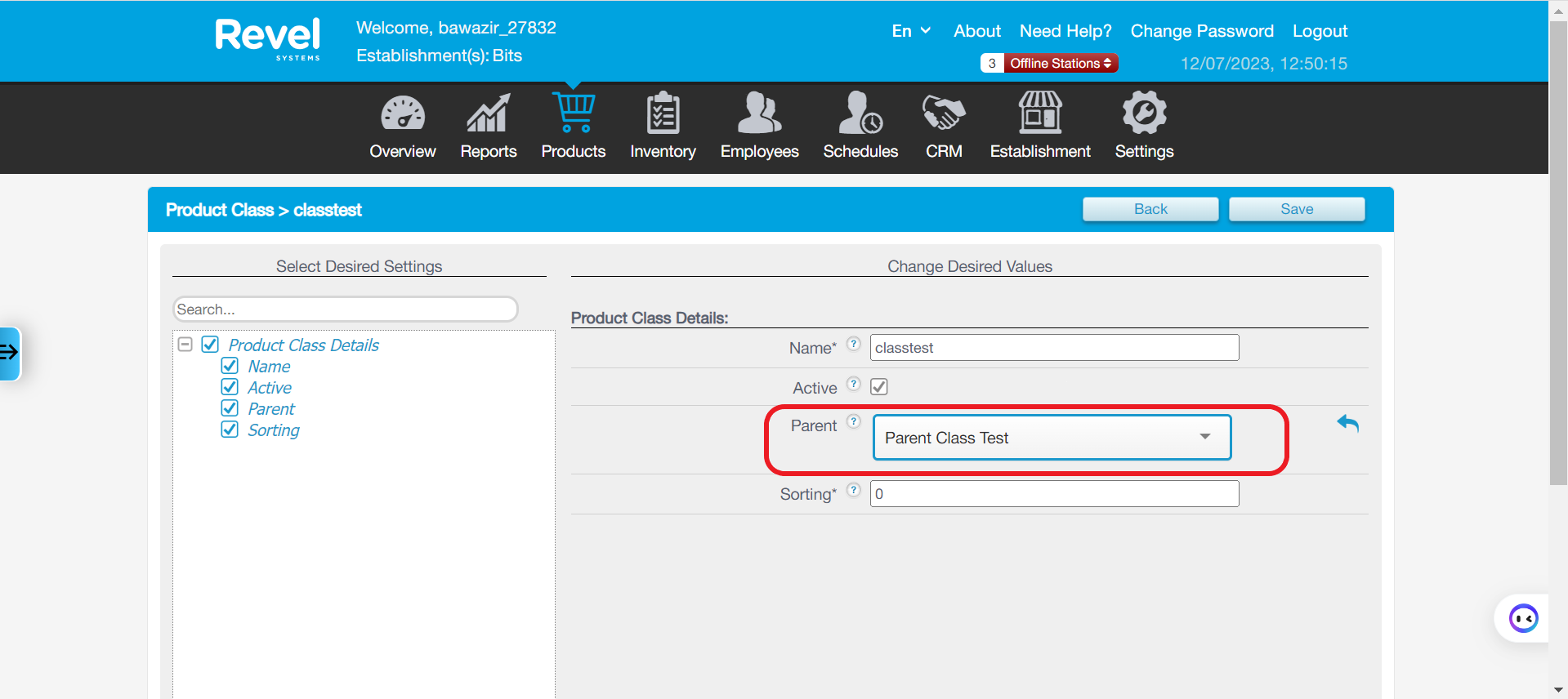
Now in the child class, fill the parent field with the class you just created just now (the parent class). It will be set as the parent class for the child class you chose.
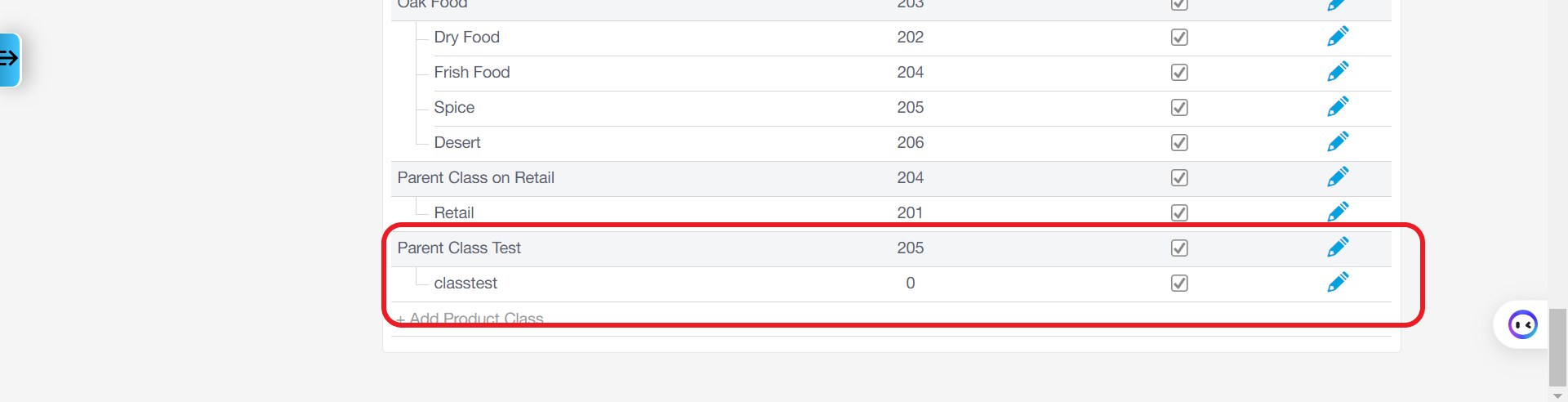
You can see below, that the class now has a parent class.
 Thank you.
Was this article helpful?
That’s Great!
Thank you for your feedback
Sorry! We couldn't be helpful
Thank you for your feedback
Feedback sent
We appreciate your effort and will try to fix the article