TABLE OF CONTENTS
NetSuite Setup
Install bundle
Address Form
Install the bundle on NetSuite to have all the required fields.
Follow the below steps to setup the Address Form:
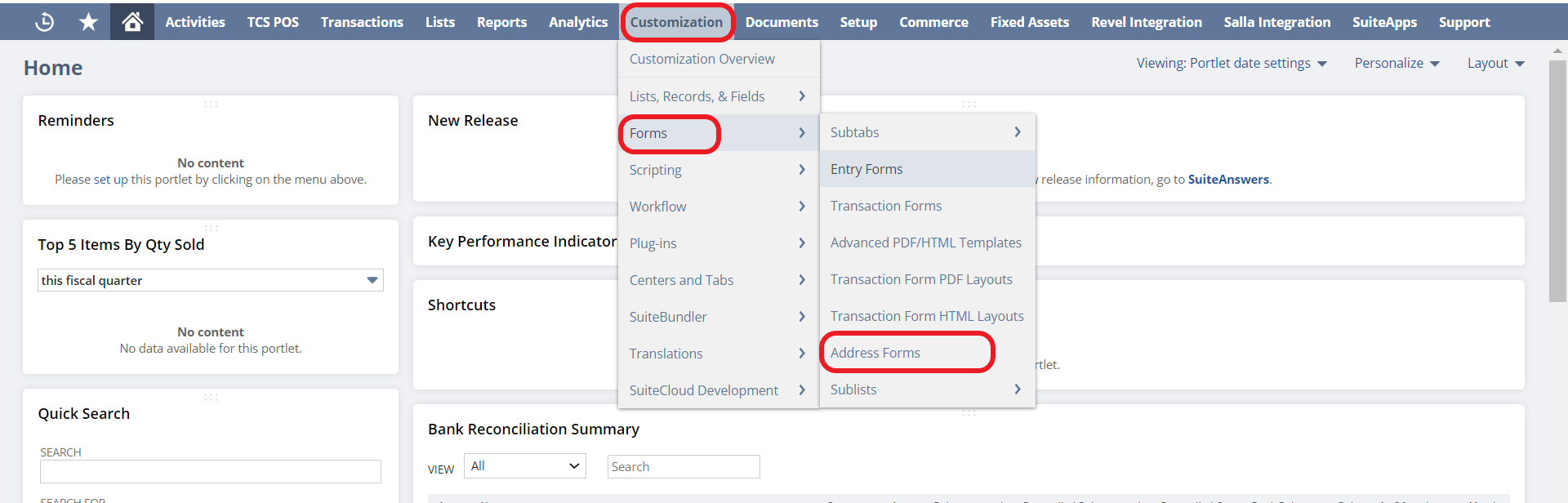
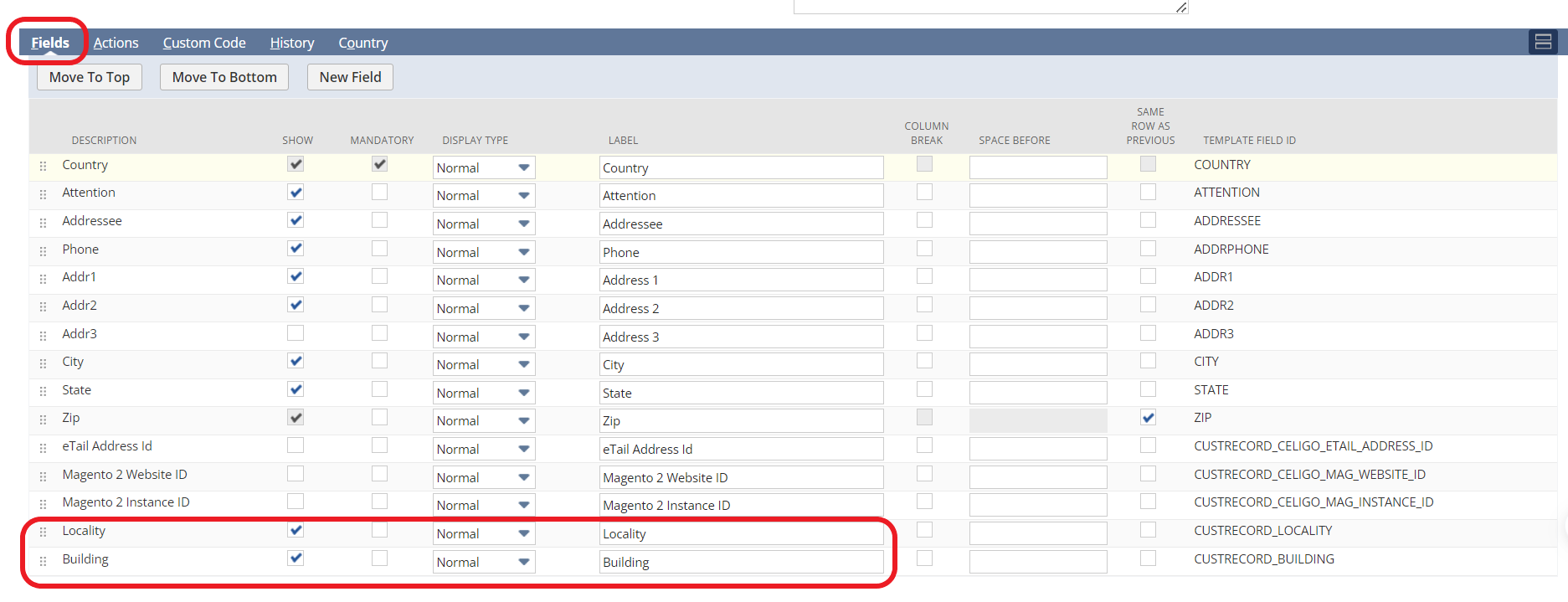

Customer setup
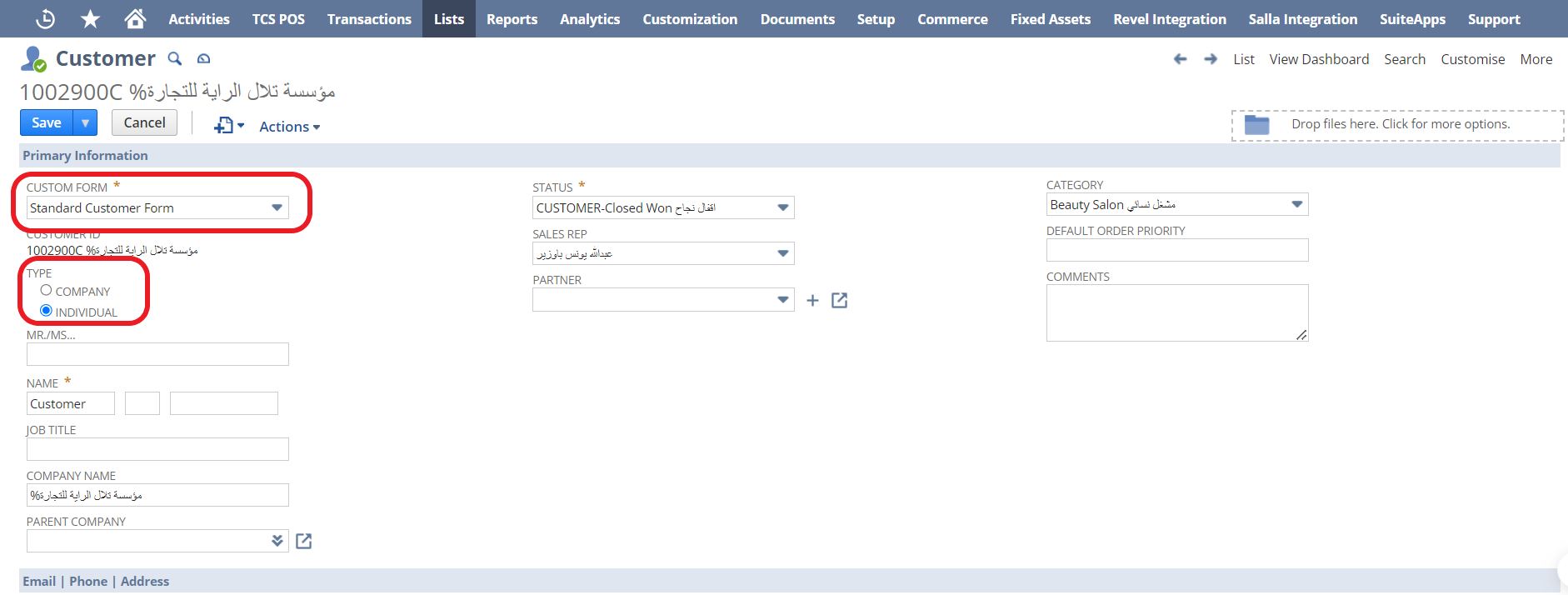
B2C
For B2C customer please make sure it is according to the below:
B2B
For B2B customer please make sure you have the following in the customer information.
Customer is a company to be posted as B2B.
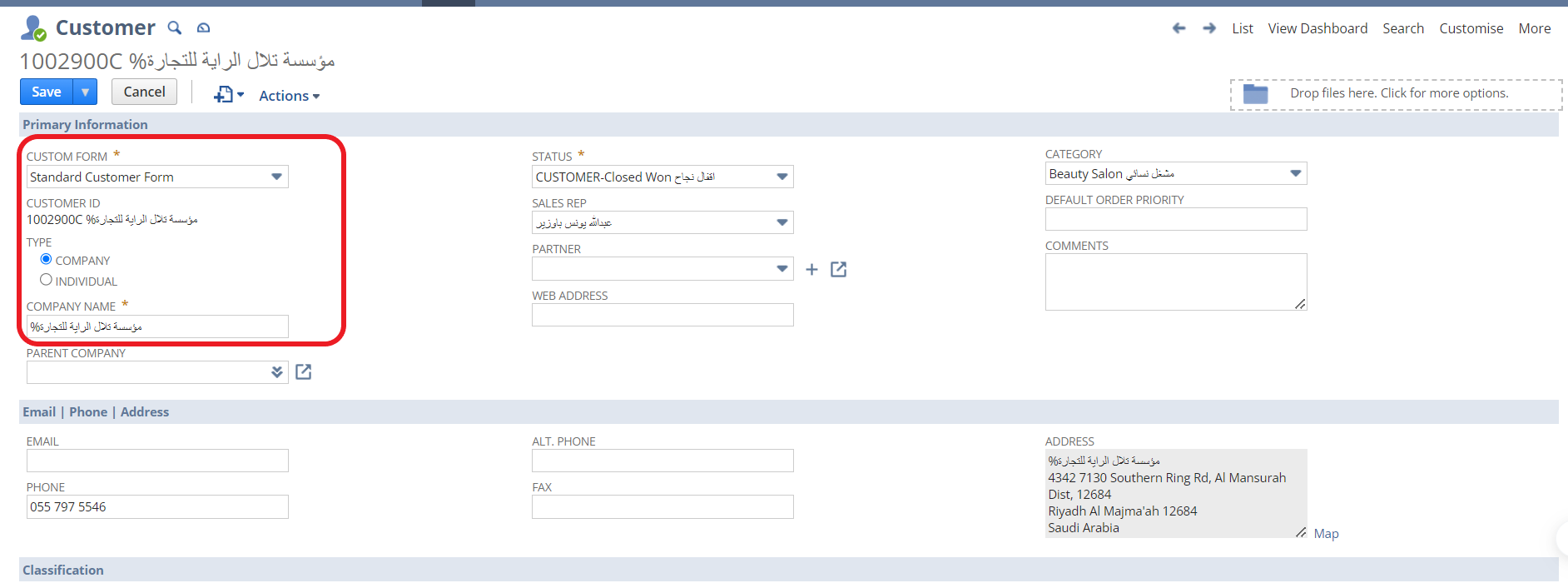
Please make sure the company’s address is filled in the field.
If the customer’s address is not filled please, edit and fill all the fields as it is required.
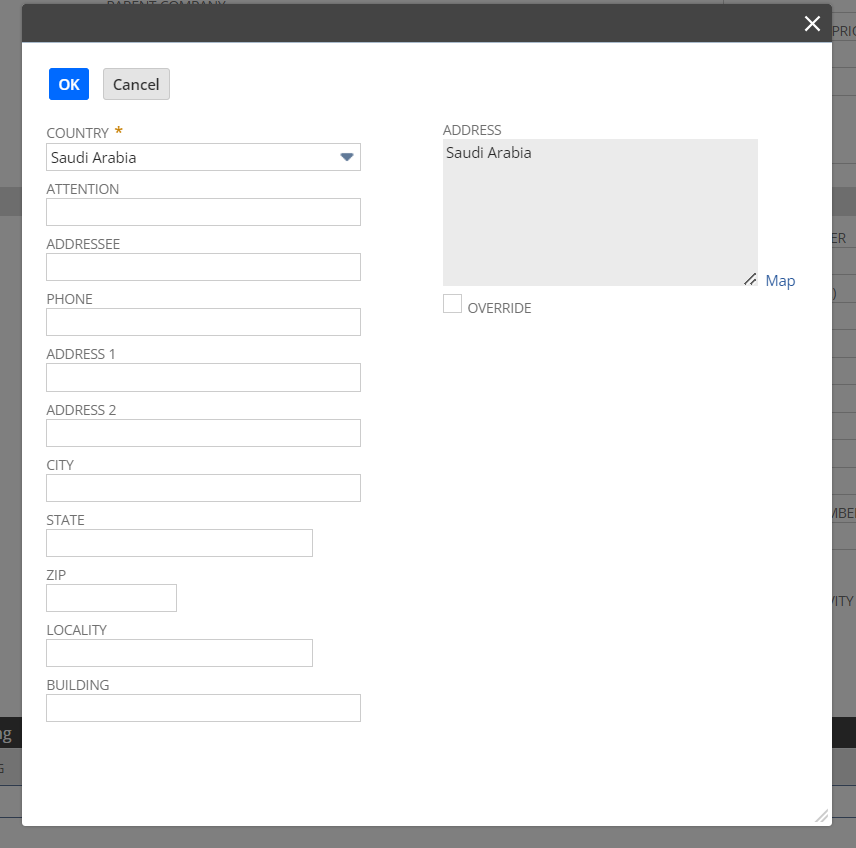
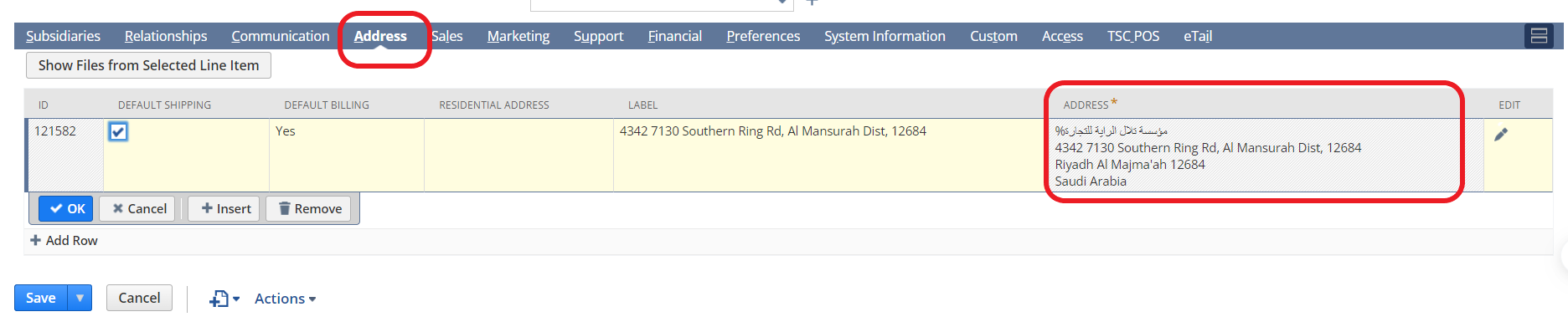
The below fields should be filled, based on the companies information.
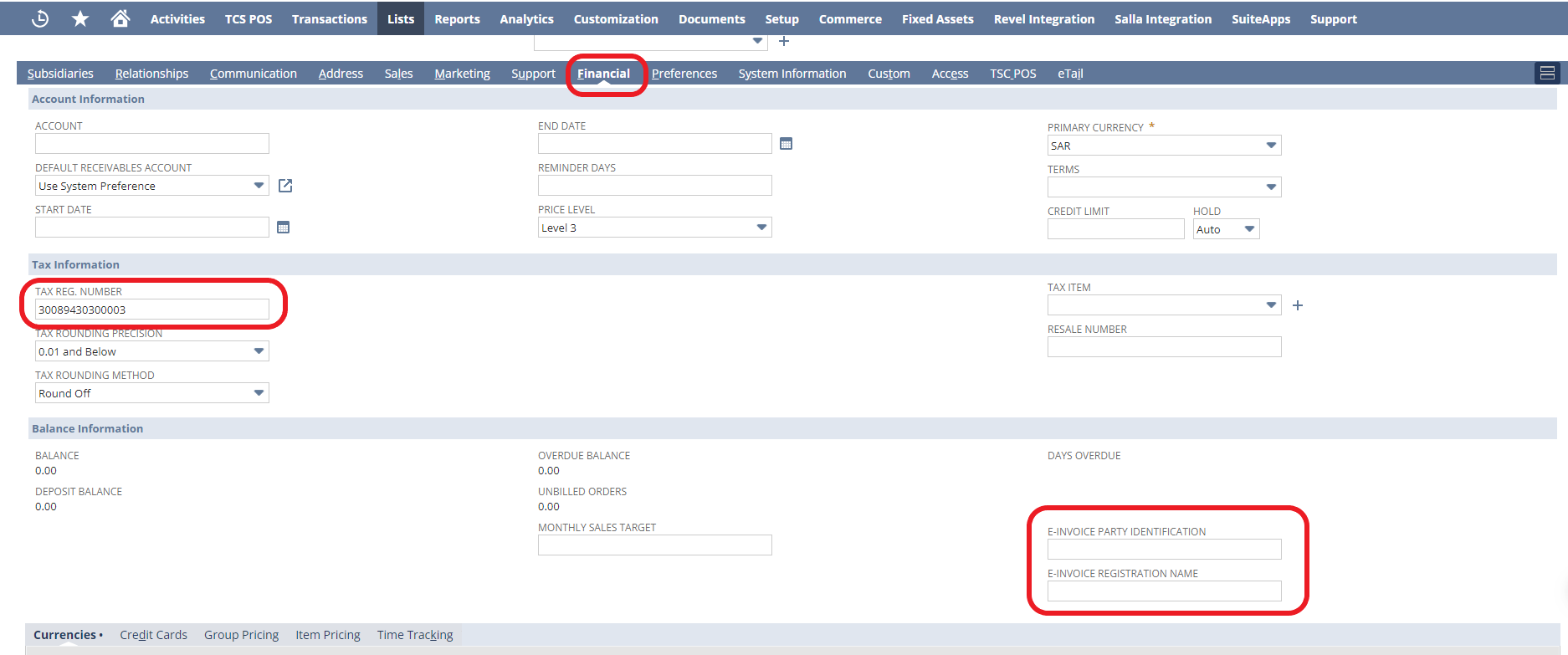
Device setup
Devices are been used to avoid IDs duplication across different systems and it's also each device representing a system on Reachware Fatoora.
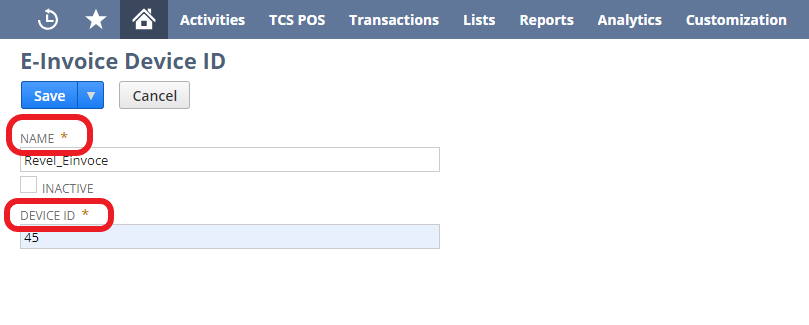
E-invoice Device ID → New E-invoice Device ID
Set up the name and ID of the device.
Transactions
Invoices that will be posted on Reachware Fatoora are either open or paid in full.
Please fill the E-invoice fields.

Payment means and device ID are mandatory fields.
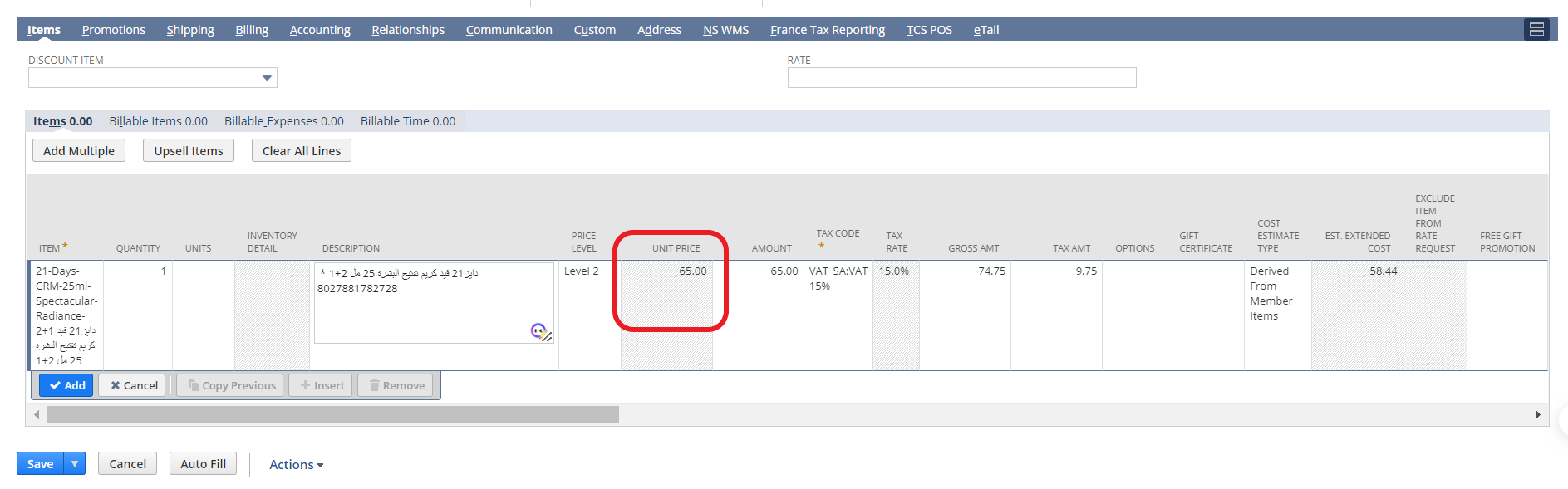
The unit price filed is mandatory.
Was this article helpful?
That’s Great!
Thank you for your feedback
Sorry! We couldn't be helpful
Thank you for your feedback
Feedback sent
We appreciate your effort and will try to fix the article