
Date and Time Handlers
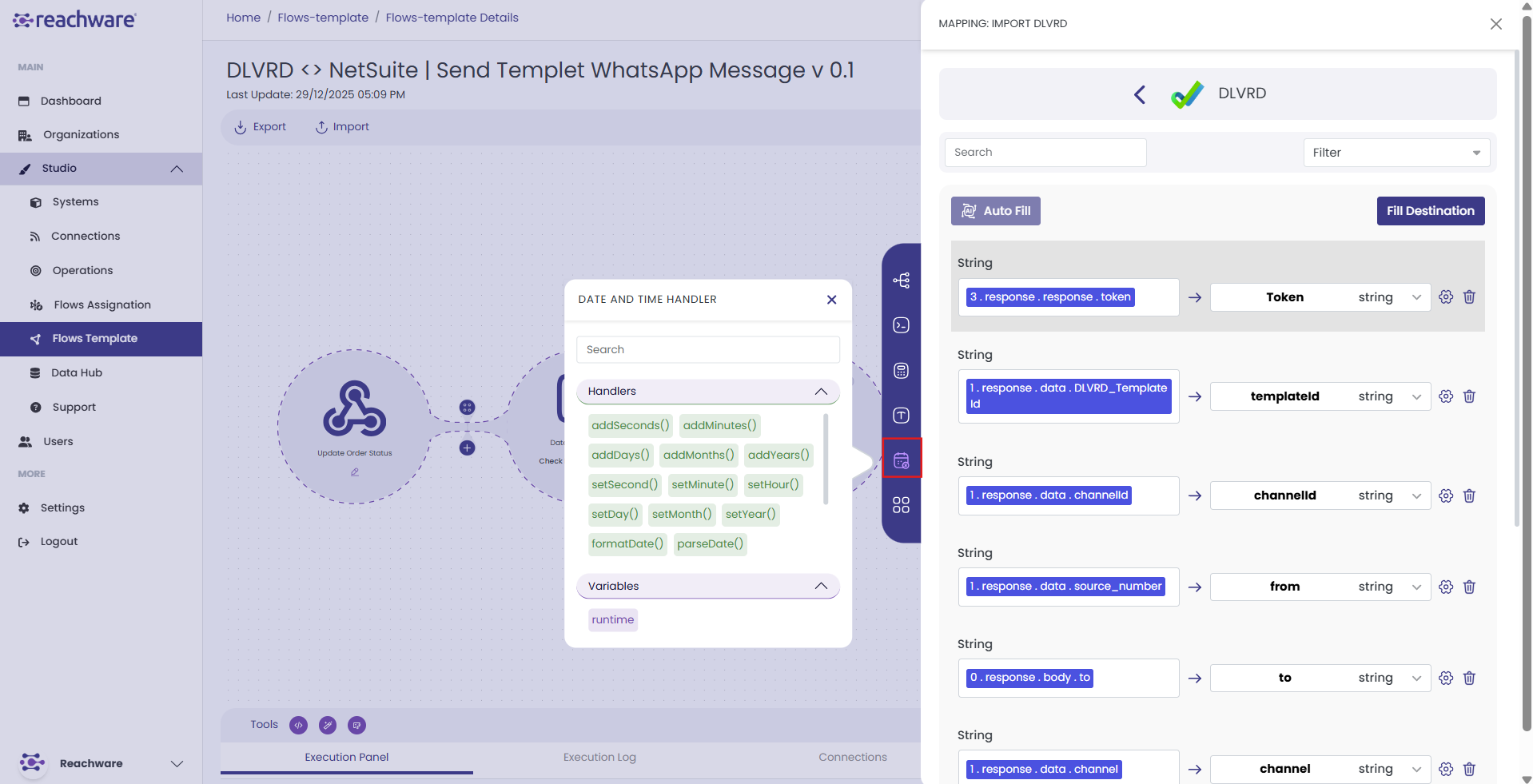
Date and Time Handlers in Studio are predefined functions used to manipulate timestamps, adjust time units, format dates, and convert between different date representations during the mapping process.
Accessing Date and Time Handlers
Click on any destination field in the mapping panel
A pop-up window opens titled "DATE AND TIME HANDLER"
You'll see two sections:
- Handlers — Available date functions
- Variables — System variable (runtime)
Adding Time Units
addSeconds()
Returns a new date by adding a given number of seconds. To subtract, enter a negative number.
Example
addMinutes()
Returns a new date by adding a given number of minutes. To subtract, enter a negative number.
Example
addDays()
Returns a new date by adding a given number of days. To subtract, enter a negative number.
Example
addMonths()
Returns a new date by adding a given number of months. To subtract, enter a negative number.
Example
addYears()
Returns a new date by adding a given number of years. To subtract, enter a negative number.
Example
Setting Date Components
setSecond()
Returns a new date with the seconds set to the specified value. Accepts numbers from 0 to 59.
Example
setMinute()
Returns a new date with the minute set to the specified value (0–59).
Example
setHour()
Returns a new date with the hour set to the specified value (0–23).
Example
setDay()
Returns a new date with the day set to the specified value (1–31).
Example
setMonth()
Returns a new date with the month set to the specified value (1–12).
Example
setYear()
Returns a new date with the year set to the specified value.
Example
Formatting and Parsing
formatDate()
Converts a Date value into a human-readable text representation.
Example
parseDate()
Converts a text value representing a date into a Date value.
Example
dateToTimestamp()
Converts a given date to a Unix timestamp.
Example
convertUTCtoGMT()
Converts a date in UTC format to GMT.
Example
convertGMTtoUTC()
Converts a date in GMT format to UTC.
Example
toISOString()
Converts a date object into an ISO 8601 formatted string.
Example
Variables
{{runtime}}
Returns the exact time when the flow executes.
Related Topics