
Iterator
Iterator splits arrays into individual items, allowing you to process each one separately. Essential when you receive multiple records and need to handle each individually.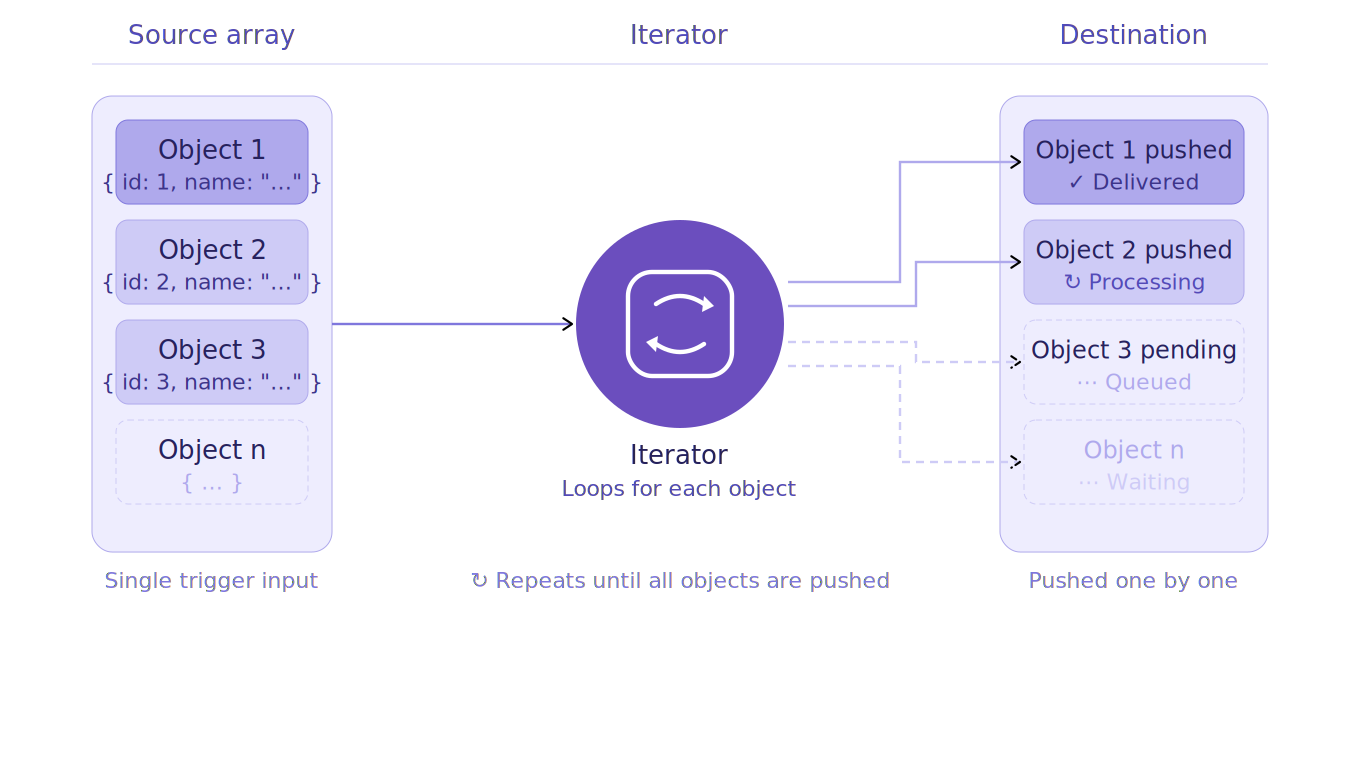
How to Add an Iterator?
1
Click the Logic Processor icon between operations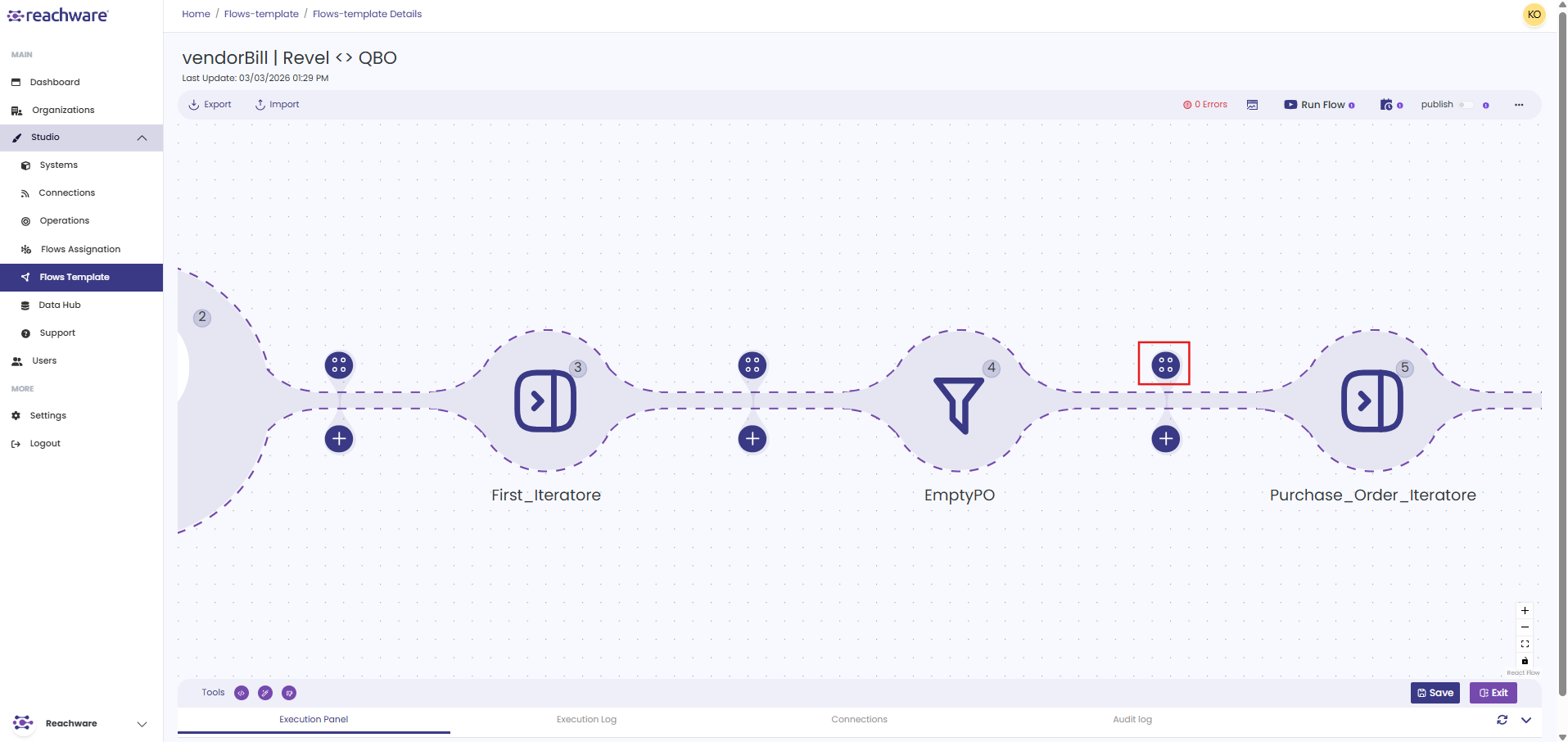
2
Select Iterator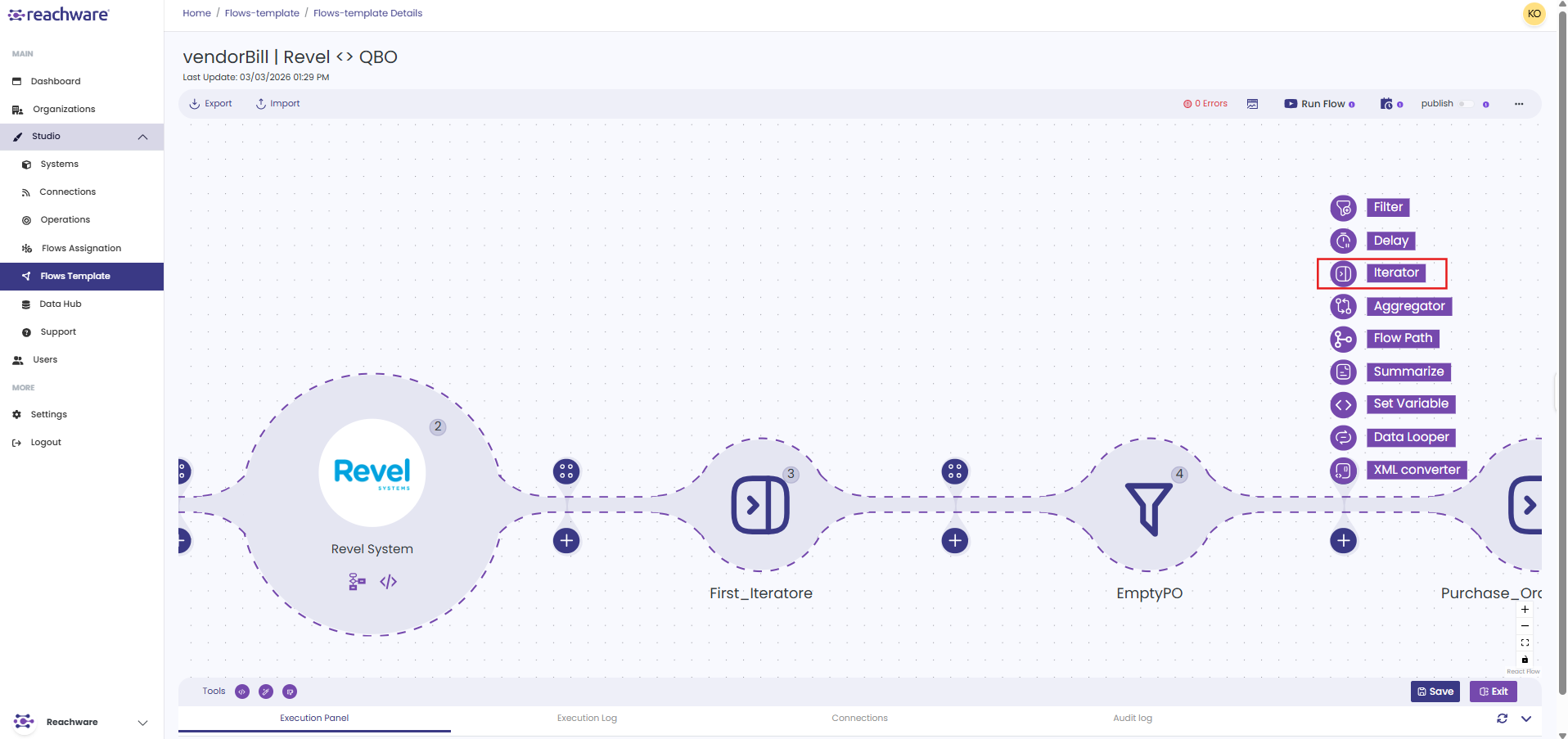
3
Configure settings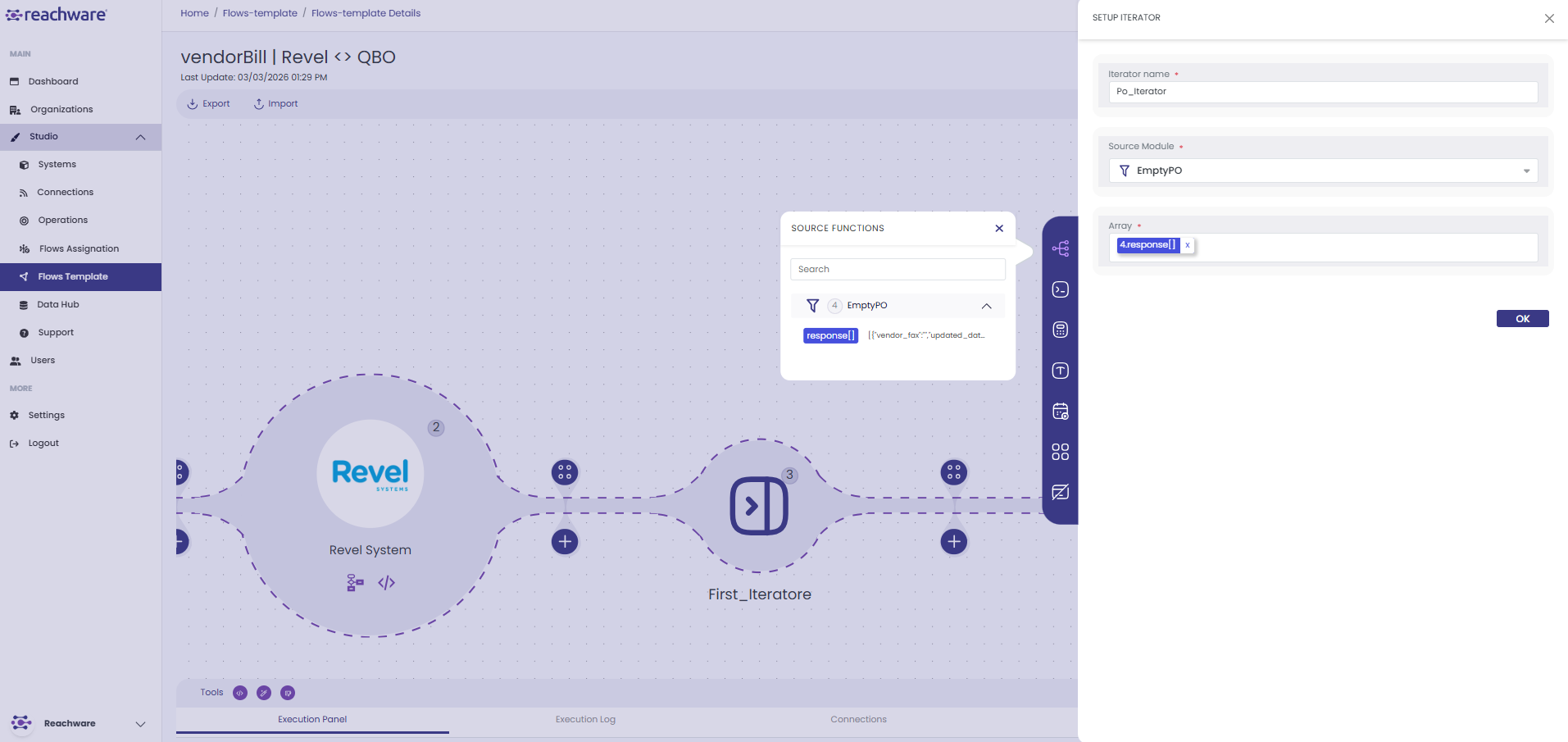
4
Click OK. The iterator has been created successfully.
Configuration
| Field | Description |
|---|---|
| Iterator Name | Name for this step |
| Source Module | Operation with the array data |
| Array | Specific array field to loop through |
How It Works?
Before Iterator
Single object with array:
{
"items": [
{"product": "Laptop", "price": 1000},
{"product": "Mouse", "price": 25},
{"product": "Keyboard", "price": 75}
]
}
"items": [
{"product": "Laptop", "price": 1000},
{"product": "Mouse", "price": 25},
{"product": "Keyboard", "price": 75}
]
}
After Iterator
Three separate objects:
Loop 1:
{"product": "Laptop", "price": 1000}
Loop 2:
{"product": "Mouse", "price": 25}
Loop 3:
{"product": "Keyboard", "price": 75}
Each object processes individually through next steps.
Related Articles