
Delay
Delay pauses flow execution for a specified time before continuing to the next step. Useful for rate limiting, waiting for processes, or controlling timing. Use Delay to:
- Avoid API rate limits
- Wait for external processing
- Control timing between operations
How to Add Delay?
1
Click the Logic Processor icon between operations
2
Select Delay
3
Configure settings
4
Click Save
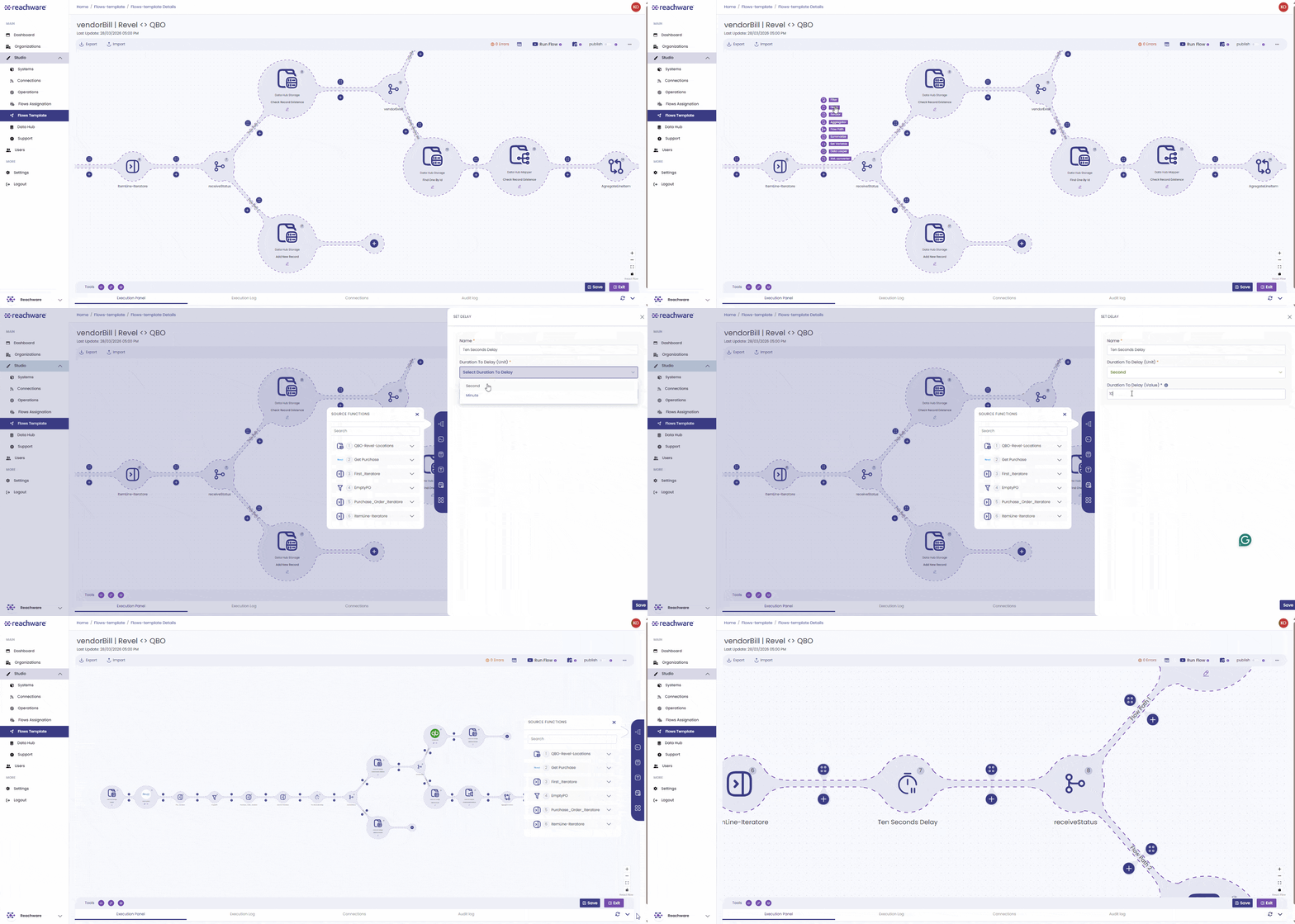
Configuration
| Field | Description | Example |
|---|---|---|
| Name | Name for this delay | Delay Step |
| Duration Unit | Seconds or Minutes | Seconds |
| Duration Value | How long to wait (integer) | 10 |
Related Articles