
Set Variable
Set Variable allows you to create and store values in your flow for reuse in later steps. It's useful for storing calculations, transformations, or intermediate results.
Use Set Variable to:
- Store calculation results
- Save transformed data
- Create reusable values
- Build complex data structures
- Preserve values across flow executions
How to Add Set Variable?
1
Click the Logic Processor icon between operations
2
Select Set Variable
3
Configure settings
4
Click Save
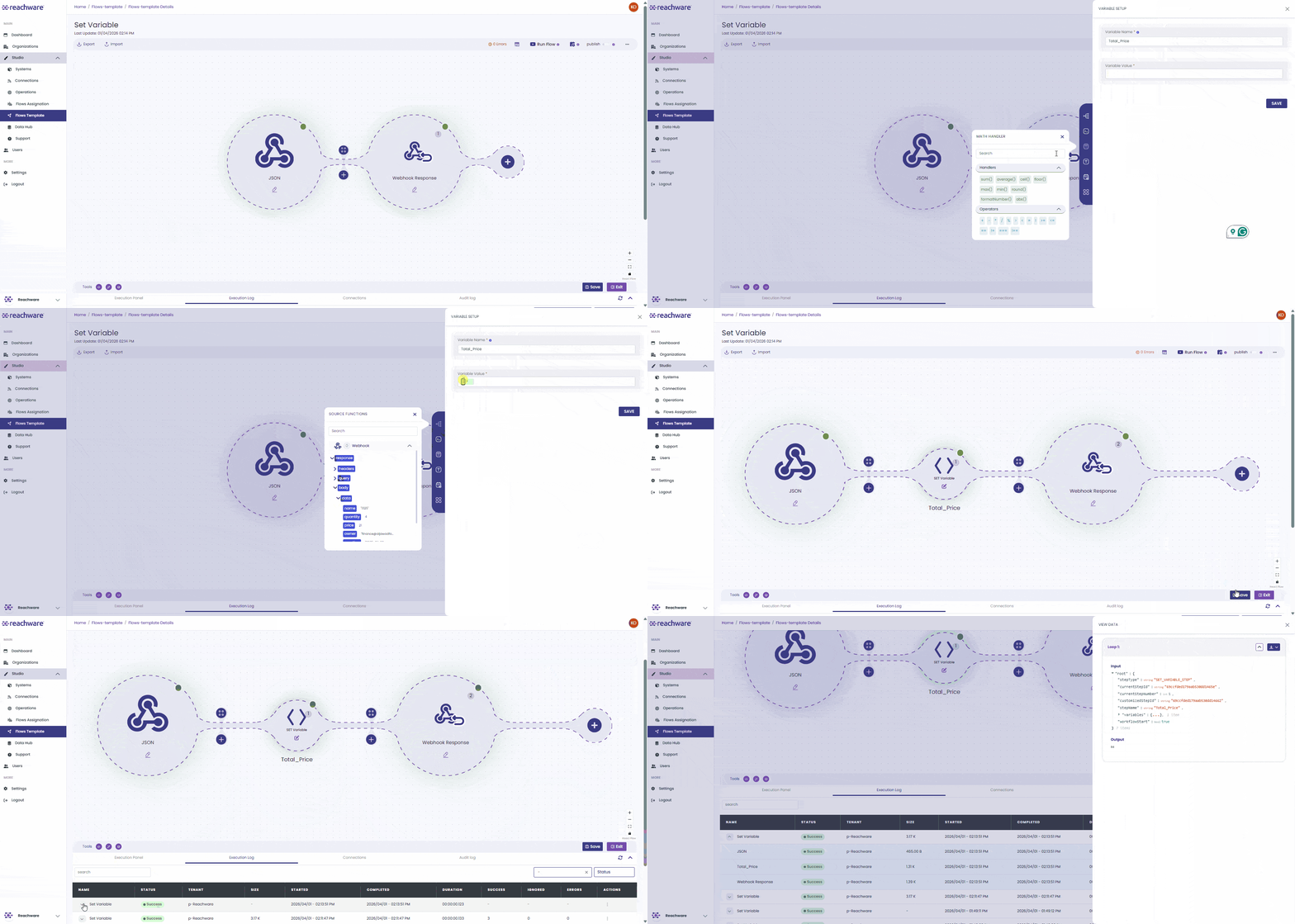
Configuration
| Field | Description | Required |
|---|---|---|
| Variable Name | Name of the variable | Yes |
| Variable Value | Value to store | Yes |
Variable Naming Rules
✓ Must start with:
- Letter (A-Z, a-z)
- Underscore (_)
✕ Cannot:
- Start with a number
- Contain spaces
- Include special characters (@, -, #, etc.)
Valid Examples:
customer_total
totalPrice
_tempValue
order123
totalPrice
_tempValue
order123
Invalid Examples:
1value → Starts with number
total-price → Contains hyphen
total-price → Contains hyphen
Variable Value
You can set the value to:
- Mapped data from previous steps
- Hardcoded values (text, numbers, objects)
- Handler results (calculations, transformations)
- Arrays or objects
Using Handlers in Set Variable
You can use handlers in variables to create values.
Example: Calculate total
Variable Name: order_total
Variable Value: sum({{items[].price}})
Variable Value: sum({{items[].price}})
Related Articles