
Flow Template Types
Understanding the different types of Flows in Studio is essential for designing effective integrations. Flows are categorized by their execution pattern. This guide helps you choose the right type for your integration requirements.
Flow Types by Execution
The execution method determines when your integration runs, depending on your integration requirements and logic.
Manual Flow Execution (Run Once)
You can run the flow manually at any time. Once the execution is completed, you can review the results in the Execution Log, which provides detailed insights into the transaction including the status of each step and any issues or errors that may have occurred during the process.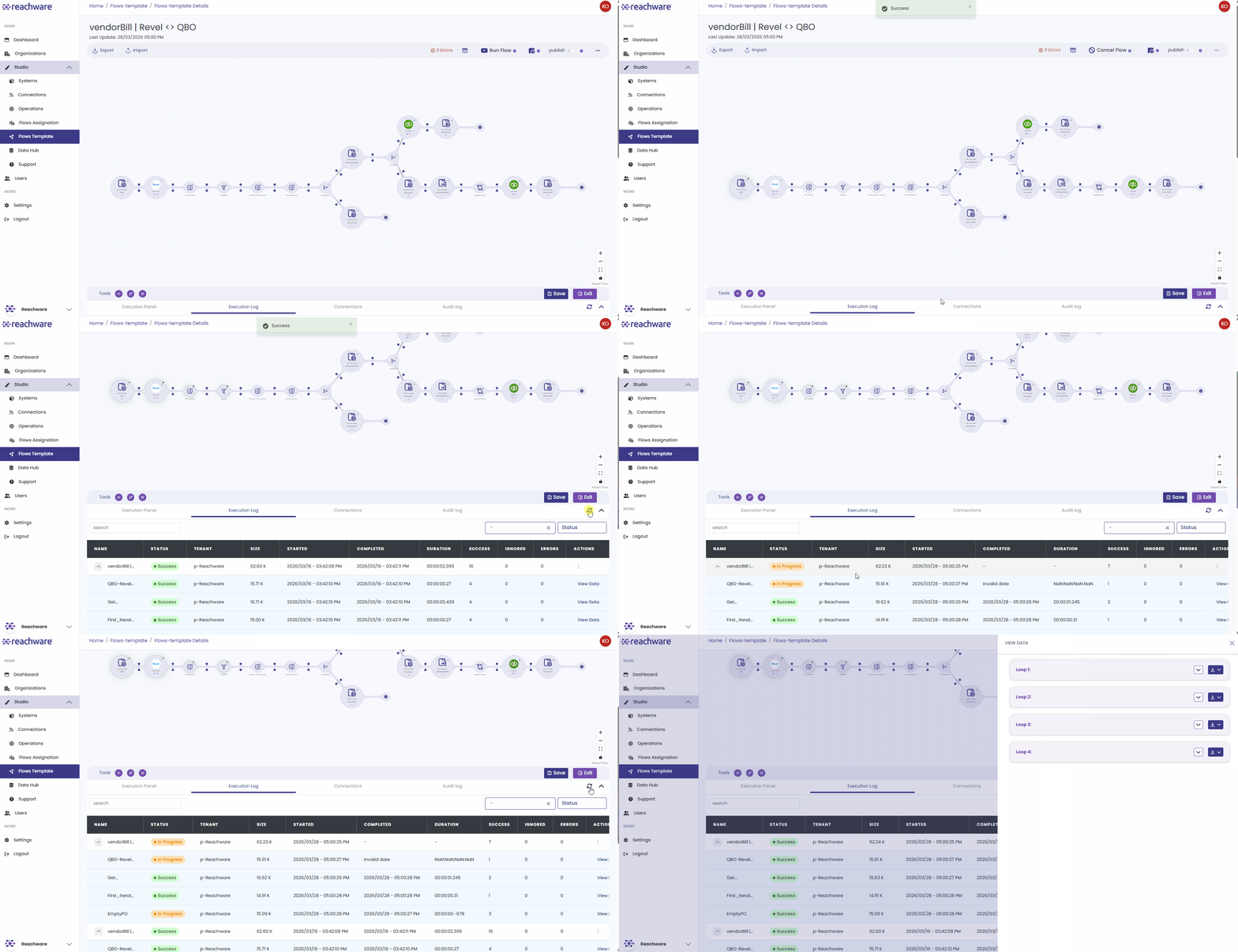
Scheduled Flow (Timetable-Based)
Uses a time-based feature to execute integrations at predetermined intervals. It follows a batch processing pattern like an alarm clock for your flow.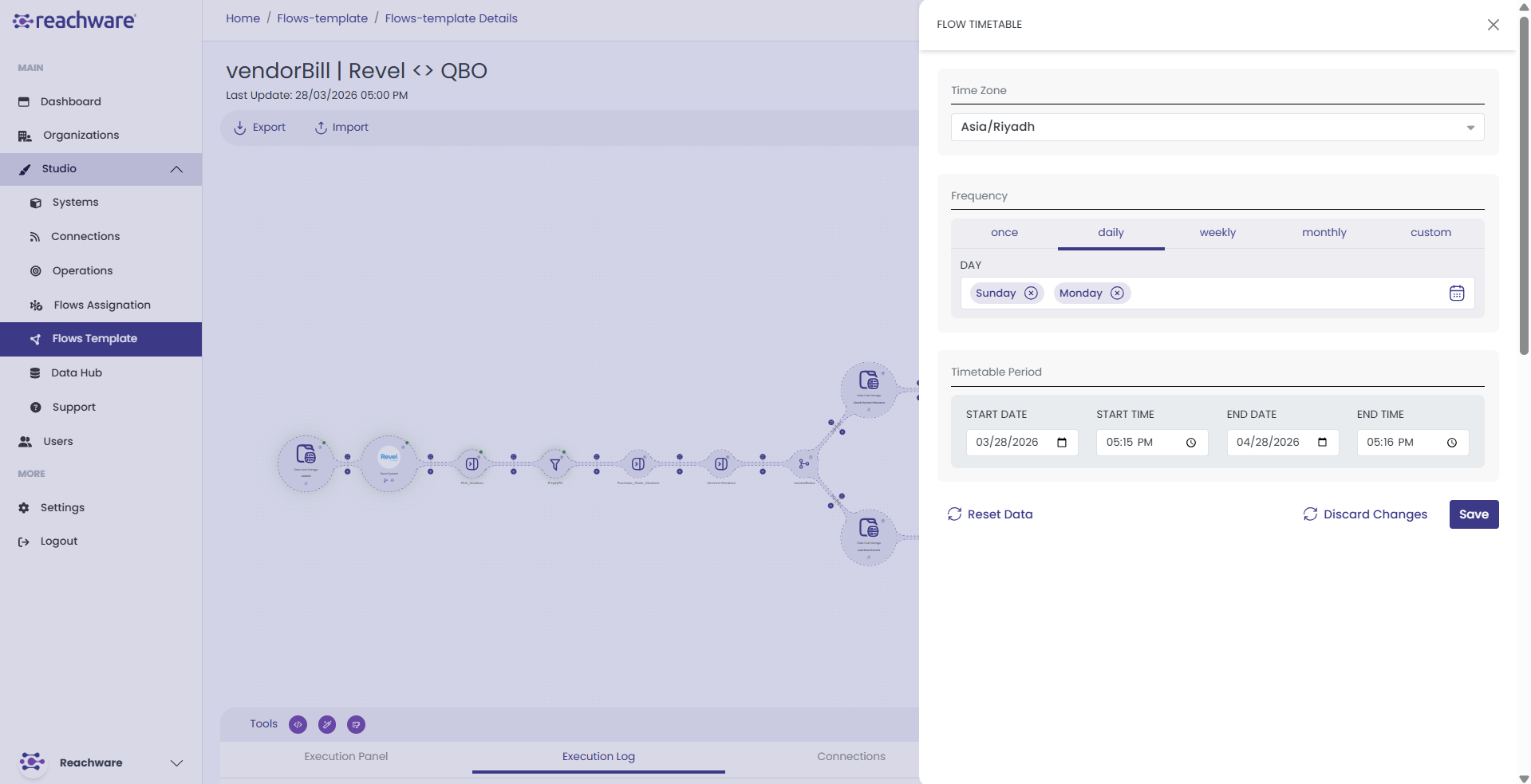
Scheduled using the Flow Timetable:
- Preset Options (Daily, Weekly, etc.)
- Custom Expressions
Best For:
- Reports (e.g., daily sales report)
- Batch processing (bulk updates)
- Data backups and maintenance
- Periodic sync (e.g., hourly inventory)
Every day at 6 PM, generate a sales report and email it to management.
For more information visit: Scheduling Integrations →
Real-Time Flow (Event-Driven)
Runs immediately when a specific event happens and a trigger is received from a webhook. This follows an event-driven architecture pattern.
This flow type relies on webhooks. To learn more, visit: Webhook and Webhook Response →
Best For:
- Real-time transactions and live updates (e.g., inventory changes)
- Stream Processing(continuously and instantly updates)
- Order processing (immediate fulfillment)
- Notifications and alerts
When a customer places an order: send a confirmation email, notify the warehouse, and update inventory all within seconds.
Quick Decision Guide
| If your need is... | Use this Flow type |
|---|---|
| Run once, manually triggered | Manual Execution |
| Regular timing, predictable tasks where immediate data isn't critical? | Scheduled Flow |
| Immediate, event-driven actions that impact customer experience? | Real-Time Flow |
Related Topics