
Text and Binary Handlers
Text and Binary Handlers in Studio are predefined functions used to modify, split, format, and transform text strings and file data during the mapping process. These handlers enable you to manipulate text without writing custom code.
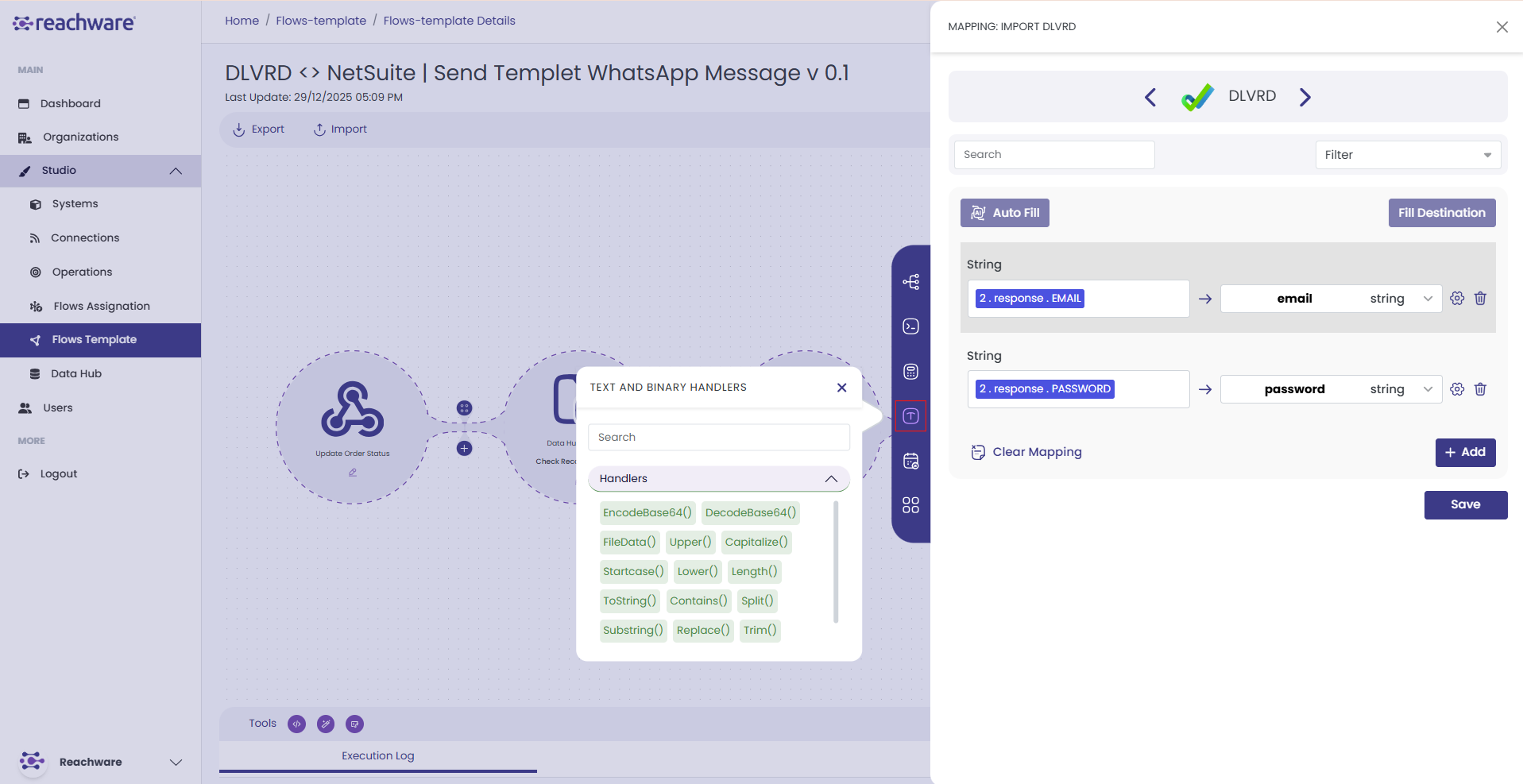
Text and binary handlers can be selected directly inside flow mapping operations. Click any destination field in the mapping panel, open the handler picker, and choose the text function you need — the handler runs inline as part of the mapping step without requiring a separate logic processor.
Accessing Text and Binary Handlers
Click on any destination field in the mapping panel
A pop-up window opens titled "Text and Binary Handlers"
You'll see the Handlers section with available text functions
Text Handlers
Upper()
Converts all alphabetical characters in a text string to uppercase.
Example
Lower()
Converts all alphabetical characters in a text string to lowercase.
Example
Capitalize()
Converts the first character of a text string to uppercase.
Example
Startcase()
Capitalizes the first letter of every word and lowercases all other letters.
Example
Length()
Returns the length of a text string.
Example
ToString()
Converts any value (number, boolean, object) to a string. Use when the destination field expects a text value.
Example
Contains()
Verifies whether a text contains the specified value. Returns true or false.
Example
contains("Hello World"; "Bye") = false
Split()
Splits a string into an array of substrings at each point where the separator occurs. The separator is not included in the resulting items.
- text — The string to split
- separator — The character or string to split on
Example
Substring()
Returns a portion of the text string between the start and end positions. Positions are zero-based.
- text — The source string
- start — Starting index (inclusive, zero-based)
- end — Ending index (exclusive)
Example
Replace()
Replaces the search string with the new replacement string.
- text — The source string
- search string — The substring to find
- replacement string — The value to replace it with
Example
Trim()
Removes space characters at the start and end of the text. Does not affect spaces between words.
Example
URL Handlers
EncodeURL()
Encodes special characters in a text to a valid URL address.
Example
DecodeURL()
Decodes special characters in a URL back to readable text.
Example
File Handler
FileData()
Combines raw file data with a filename to create a valid file structure that can be sent to the API destination. Both binary content and the filename are required.
- binaryContent — The raw binary data of the file (usually represented as a sequence of numbers).
- fileName — The name of the file including its extension (e.g., image.png, document.pdf).
Example
Binary Handlers
encodeBase64()
Converts a regular string or binary file data into a Base64-encoded string. Commonly used to safely transmit data (files, images, text) in systems that only accept text-based formats like JSON or XML.
Example — Text
Example — Binary (image bytes)
encodeBase64(137 80 78 71 13 26 10 0 0 0 13 73 72 68 82) = "iVBORw0KGgoAAAANSUhEUgAAA..."
decodeBase64()
Converts a Base64-encoded string back into its original form — either as plain text or binary data.
Example — Text
Example — File
Related Topics